A desktop AI agent runs on your own computer and completes multi-step tasks across your real files, terminal, and apps, with permission. Computer use AI agents are filling the category fast, but most of them do not actually run where you do. This guide compares seven on the one axis that decides everything: native desktop versus cloud, container, browser, or CLI.
What counts as a desktop AI agent?
A true desktop AI agent has three properties. It runs natively on your macOS or Windows machine. It acts on your real environment: the files in your home folder, your installed apps, your shell. And it asks permission before sensitive actions instead of running unsupervised.
The capability underneath all of these is computer use: a frontier model looks at a screenshot, decides where to click and what to type, and a runtime carries the action out. Anthropic introduced the term publicly in October 2024, describing it as directing a model "to use computers the way people do: by looking at a screen, moving a cursor, clicking buttons, and typing text" (Anthropic, 2024). For the mechanics, see our explainer on how computer-use AI works.
The confusion is that computer use does not require the agent to run on your computer. It can run on a remote one. Many products described as desktop agents are really cloud agents driving a virtual machine you never see. That distinction is the whole point of this comparison. For the category definition itself, our desktop AI agent hub covers what the term means and where Lapu AI fits.
The comparison at a glance
The table maps each tool on four questions: does it run natively on your own machine, where does task execution actually happen, is it open source, and what is its permission model.
| Tool | Native desktop? | Runs where | Open source | Permission model |
|---|---|---|---|---|
| Lapu AI | Yes (macOS, Windows) | Your machine: real files, shell, apps | No | Per-action approval; auto-approve low-risk, confirm high-risk; 90-day audit trail |
| Bytebot | No | Self-hosted containerized Linux desktop | Yes (Apache 2.0) | You control the container; isolated from host OS |
| Manus | Partly (desktop app bridges local folders) | Mostly a cloud sandbox VM per task | No | Folder-access grants for the local bridge |
| goose | Yes (macOS, Windows, Linux) | Your machine, via CLI or desktop app | Yes (Apache 2.0) | Per-extension; user-configured tool access |
| Factory Droid | Yes (desktop app) | Your machine or cloud dev environments | No | Coding-tool scoped; cloud or local execution |
| OpenAI Operator / ChatGPT agent | No | OpenAI servers (remote browser / virtual computer) | No | Takeover prompts for logins and payments |
| Anthropic computer use | No (it is an API) | Whatever runtime you build | No | Whatever you build |
Read the table as a spectrum. At one end, the agent acts on the computer in front of you. At the other, it acts on a remote computer and hands you the result. Everything below explains where each tool sits and why.
Lapu AI: native desktop, permissioned
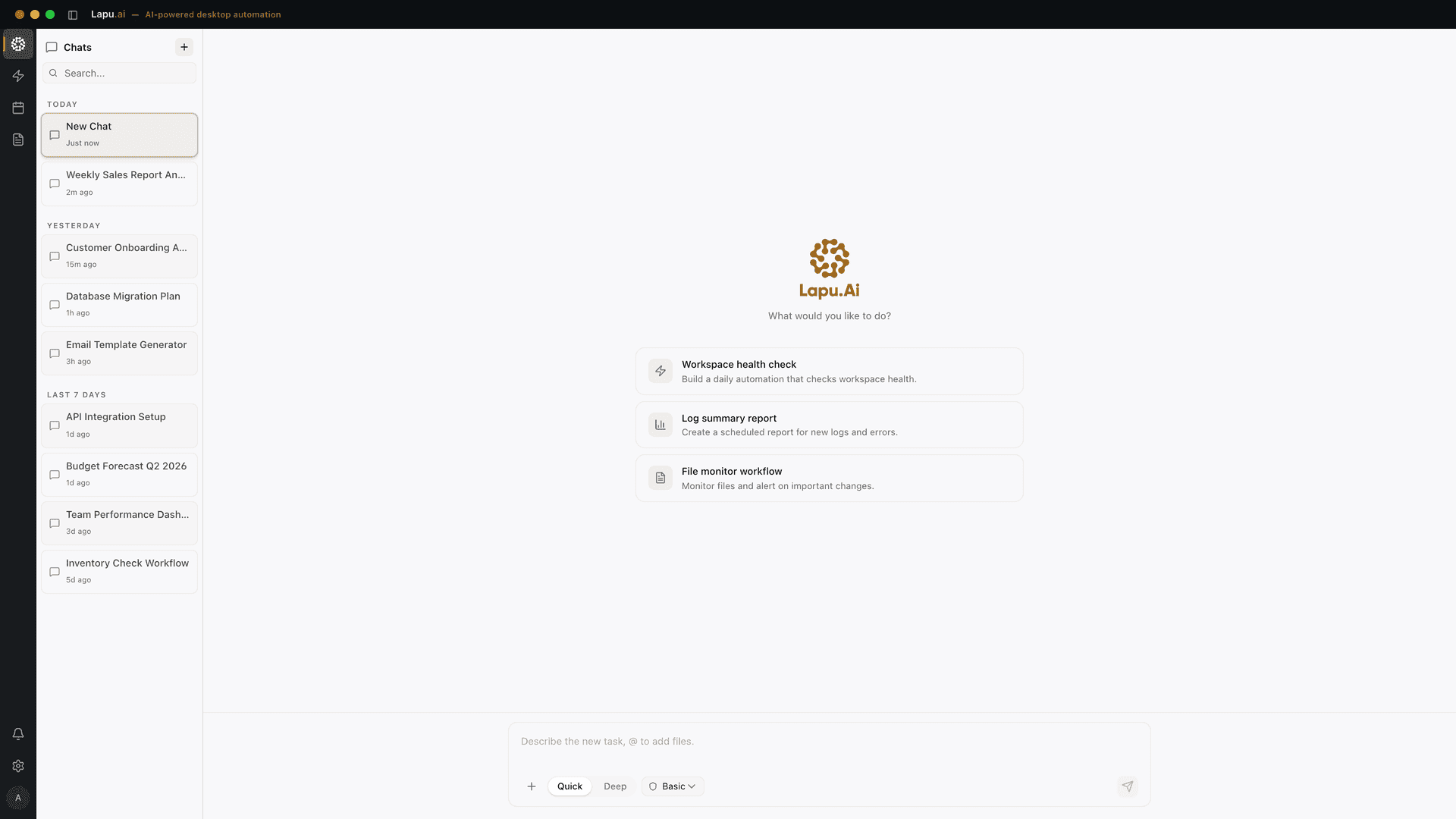
Lapu AI is a desktop application that puts an AI agent directly on your macOS or Windows machine. It reads and writes your actual files, runs real terminal commands, and controls other apps through native accessibility APIs. Clicking buttons, filling forms, and moving between programs the way a person does.
The defining design choice is local-first execution. Your files, commands, and workflows stay on your computer; there is no Lapu AI cloud workspace storing your data. When the agent needs to reason, relevant context is sent to AI model providers, nothing more. That keeps the work on your machine while still using frontier models for planning.
The permission model is the differentiator. Low-risk actions like reading a file can be auto-approved; high-risk actions like deleting files always require explicit confirmation. Every action is logged (what it did, when, and why), and retained for up to 90 days; the agent audit log explainer covers the schema and storage model. The app also isolates its interface, backend logic, and system access into separate layers. For the full threat model, see AI agent security.
What it is good at: cross-app desktop work that touches your real environment, organizing a messy folder, driving Excel on your actual workbooks, extracting PDF text, running end-to-end document automation from capture through routing, driving a legacy WinForms application, or automating apps that have no API. What it is not: an open-source CLI you script, or a cloud agent you fire and forget. It is a supervised actor on the machine you are sitting at.
Bytebot: self-hosted container
Bytebot is a self-hosted AI desktop agent that automates computer tasks through natural language, operating inside a containerized Linux desktop environment (Bytebot, GitHub). It is fully open source under the Apache 2.0 license.
The architecture is the contrast with Lapu AI. Bytebot gives the agent its own virtual computer: a complete Ubuntu 22.04 desktop with XFCE, Firefox, and VS Code, running in Docker containers. You deploy it via Docker Compose or a one-click Railway deployment and access it through a web interface at a local port. The agent does excellent work, but it does that work inside the container, not on your host OS.
That is a genuine strength for some teams. A containerized desktop is reproducible, disposable, and isolated from your real files by construction: a good fit for server-side automation and CI-style runs at scale. It is the wrong fit if the task is your real files: a container cannot reorganize the documents in your actual home folder or drive the licensed app installed on your laptop. Bytebot is a clean example of "computer use, but on a computer that is not yours."
Manus: cloud sandbox with a local bridge
Manus is an autonomous agent that runs tasks largely in the cloud. Its own documentation is explicit: Manus allocates "a fully isolated cloud virtual machine" (a sandbox with networking, a file system, a browser, and software tools), for each task (Manus, 2025). Those sandboxes run on remote infrastructure so they do not consume your local resources.
Manus also ships a native desktop app for macOS and Windows that can bridge to specific local folders you grant access to. So it is not purely cloud. It can touch some local files through that bridge. But the center of gravity is remote: the heavy work happens in the cloud VM, and the desktop app is a connector to it.
For users who want an always-on agent that runs jobs without tying up their laptop, the cloud-sandbox model is a real advantage. You can start a task from your phone and let it finish on remote hardware. The trade-off is the one this whole comparison turns on: your data and execution leave your machine. If keeping files and execution local is the requirement, a cloud-first agent is the wrong tool, however good its desktop bridge is.
goose: open-source local agent
goose is an open-source, extensible AI agent that runs on your machine (goose, GitHub). Originally built by Block, it has moved to the Agentic AI Foundation at the Linux Foundation and is licensed Apache 2.0. It ships as a native desktop app for macOS, Linux, and Windows, a command-line interface, and an API for embedding.
Architecturally goose is the closest open peer to Lapu AI on the "runs locally" axis. Built in Rust, it executes on your hardware, works with 15+ model providers (Anthropic, OpenAI, Google, Ollama, and more), and extends through 70+ tools via the Model Context Protocol. You can point it at a local model through Ollama and keep the model itself on-device.
Its strength is openness and configurability: you choose the model, wire up your own extensions, and inspect the code. The cost is setup and judgment. goose is built for developers who want to assemble their own agent; you configure tool access per extension rather than getting a packaged per-action approval UI and built-in audit retention. For a technical user that is freedom. For a non-technical buyer it is friction, which is the gap a polished product like Lapu AI fills.
Factory Droid: coding-first desktop app
Factory's Droid is a desktop app that lets autonomous agents operate across software-development tools. Navigating codebases, running terminal commands, automating tests, and managing code reviews (Factory, 2025). It can run against persistent cloud machines or user-provided hardware, and it coordinates multiple concurrent projects through multi-agent sessions.
It does run on the desktop, and it can control browsers, terminals, and tools like VS Code. The distinction is scope, not architecture: Droid is built for software engineering. Its value proposition is consistent agent behavior across IDE, terminal, browser, and CLI for coding work.
That focus is a strength if your work is shipping code. It is a mismatch if your work is general computer use. sorting invoices, filling forms across apps, processing a folder of PDFs, or reorganizing files for a non-engineering team. Droid is a coding agent that happens to have a desktop surface; Lapu AI is a general desktop agent that happens to handle code among everything else.
OpenAI Operator and ChatGPT agent: browser in the cloud
OpenAI's Operator, launched in January 2025, was a cloud agent that controlled a remote browser. MIT Technology Review described the architecture directly: "instead of calling up the browser on your computer, Operator sends your instructions to a remote browser running on an OpenAI server", explicitly contrasting it with agents that run locally on the user's device (MIT Technology Review, 2025).
Operator was deprecated in 2025 and its capabilities were folded into ChatGPT agent, which OpenAI runs on its own virtual computer rather than on your desktop. Either way, this is the canonical cloud-browser pattern: the agent acts on a web page in OpenAI's data center, not on your files, shell, or installed apps. Our Lapu AI vs OpenAI Operator comparison goes deeper on the head-to-head.
The cloud model has real upsides: parallel tasks, no local resource use, no install. It is simply a different category from a desktop AI agent. If the job lives in your local files and native apps, a remote browser cannot reach it.
Anthropic computer use: a capability, not an app
Anthropic computer use is the model capability that most of this category is built on, but it is not a consumer desktop app. It is exposed as a developer API: the model returns structured actions, and you build the runtime that executes them. Anthropic ships a reference implementation for developers to start from, not a packaged product for end users.
That is why it belongs in this comparison as a baseline rather than a competitor. IEEE Spectrum described the mechanism, the model "viewing screenshots of what the user sees and counting the pixels required to move the cursor", and flagged the core risk: because the agent reads screenshots from internet-connected computers, it can be exposed to prompt injection attacks (IEEE Spectrum, 2025). Anthropic's own materials note the same prompt-injection exposure.
A desktop AI agent is what turns that raw capability into something a non-developer can use safely: the screen capture, the local execution, the permission prompts, and the audit trail are the product. Lapu AI builds on frontier computer-use models and adds exactly that runtime. Our Lapu AI vs Anthropic computer use comparison covers the API-vs-app distinction in detail.
How to choose
Start from where the work lives, not from the model.
- The task is your real local files, shell, or native apps: choose a native desktop agent. Lapu AI (packaged, permissioned, macOS/Windows) or goose (open-source, configurable) act on the machine in front of you.
- You want reproducible, disposable automation isolated from your host: Bytebot's self-hosted container is purpose-built for that.
- You want an always-on agent that runs jobs on remote hardware: Manus's cloud sandbox, or ChatGPT agent for browser-centric web tasks.
- The work is software engineering: Factory Droid is built for it.
- You are a developer building your own agent: Anthropic computer use gives you the raw capability to assemble a runtime around.
The single question that sorts the field: does the agent act on the computer you are using, or on a remote one? Our desktop agent vs browser agent guide breaks down that choice by access, persistence, and security. Lapu AI is built for the local category: a permissioned agent on your actual desktop, with a full record of everything it did. Download Lapu AI to try it on your own machine, or see plans and pricing.
For the wider context, how desktop agents sit alongside Zapier-style API workflows and remote cloud agents like Operator and Devin, see our cross-app AI automation overview.
FAQ
- Can an AI agent control my computer?
- Yes. A desktop AI agent can see your screen, move the cursor, click, type, read and write files, and run shell commands: the same actions you take by hand. The capability is called computer use. The important question is where it runs. A native desktop agent like Lapu AI acts on the machine in front of you with your permission. A cloud agent like ChatGPT agent acts on a remote computer that mirrors a browser, not your actual desktop.
- Which desktop AI agents run locally on my own machine?
- Of the tools in this comparison, Lapu AI and goose run natively on your own macOS or Windows machine and act on your real files. Manus offers a native desktop app that bridges to local folders, but it runs most task execution in a cloud sandbox. Bytebot is self-hosted but runs inside a containerized Linux desktop rather than your host OS. Anthropic computer use is an API you build a local runtime around yourself. OpenAI's Operator and ChatGPT agent run on OpenAI servers.
- Is Manus a desktop app?
- Manus offers a downloadable desktop app for macOS and Windows that can bridge to local folders, but its task execution model is cloud-first. Manus's own documentation describes allocating a fully isolated cloud virtual machine, a sandbox, for each task. So Manus is best described as a cloud agent with a local desktop bridge, not a fully local desktop AI agent.
- Is OpenAI Operator a desktop app that runs on my computer?
- No. Operator was a cloud service. MIT Technology Review reported that instead of using the browser on your computer, Operator sent instructions to a remote browser running on an OpenAI server. Operator was deprecated in 2025 and its capabilities were folded into ChatGPT agent, which also runs on OpenAI's own virtual computer rather than your desktop.
- What is the difference between Anthropic computer use and a desktop AI agent?
- Anthropic computer use is a model capability exposed through the Anthropic API, the model returns actions like click and type, and you must build the runtime that executes them. A desktop AI agent is a finished application that ships that runtime: it captures your screen, executes actions on your real machine, manages permissions, and keeps an audit trail. Lapu AI is the application; computer use is one capability underneath it.
- Which desktop AI agents are open source?
- In this comparison, goose (Apache 2.0, now under the Linux Foundation's Agentic AI Foundation) and Bytebot (Apache 2.0) are open source. Lapu AI, Manus, Factory Droid, OpenAI's agent, and Anthropic's hosted models are proprietary. Open source means you can self-host and inspect the code; it does not by itself mean the agent runs on your host OS: Bytebot, for example, is open source but runs in a container.
- Are desktop AI agents safe to let near my real files?
- Only with a permission model and an audit trail. IEEE Spectrum noted that because these agents read screenshots from internet-connected computers, they can be exposed to prompt injection attacks hidden in web content. The defenses are explicit confirmation for sensitive actions, isolation between the agent's layers, and a complete log of every action. Lapu AI auto-approves low-risk reads but requires confirmation for high-risk actions like deleting files, and logs every action for up to 90 days.
Sources
- Introducing computer use, a new Claude 3.5 Sonnet, and Claude 3.5 Haiku, Anthropic (2024-10-22) · accessed 2026-05-31
- OpenAI launches Operator: an agent that can use a computer for you, Will Douglas Heaven, MIT Technology Review (2025-01-23) · accessed 2026-05-31
- OpenAI Operator: release, deprecation, and integration into ChatGPT agent, Wikipedia (2025-08-31) · accessed 2026-05-31
- Are You Ready to Let an AI Agent Use Your Computer?, Eliza Strickland, IEEE Spectrum (2025-02-13) · accessed 2026-05-31
- Bytebot: a self-hosted AI desktop agent in a containerized Linux environment, Bytebot (2025-03-01) · accessed 2026-05-31
- goose: an open source, extensible AI agent, Block / Agentic AI Foundation (2025-01-28) · accessed 2026-05-31
- Understanding Manus sandbox: your cloud computer, Manus (2025-05-01) · accessed 2026-05-31
- Desktop App for Droids: Factory, Factory (2025-06-01) · accessed 2026-05-31