
For operations, finance and back-office teams
Automate the desktop work your team still does by hand.
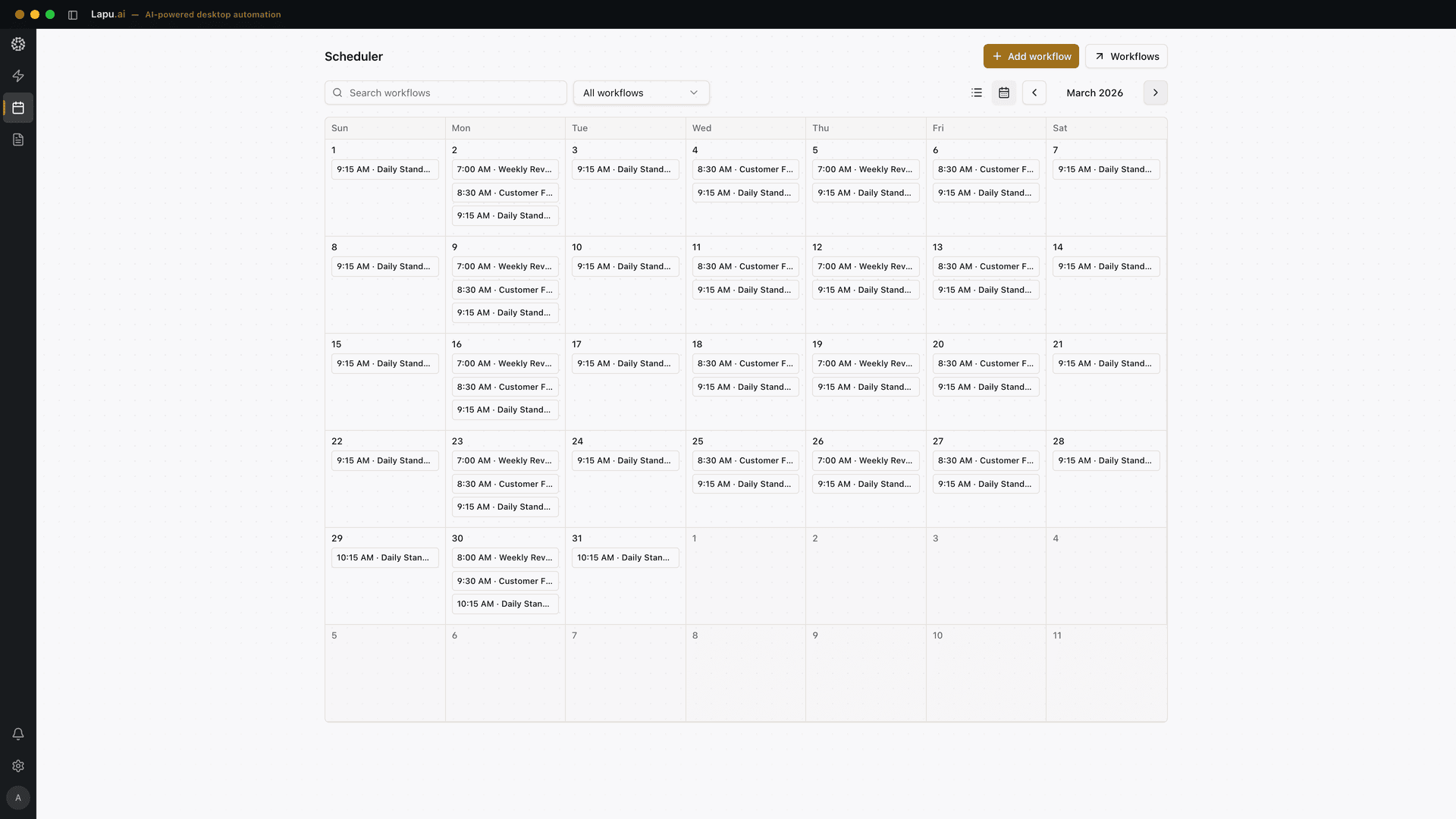
Lapu AI is a desktop agent. It drives the applications your company already runs: including the legacy ones with no API.
We map 2–3 of your workflows live and tell you if Lapu doesn't fit.
- Your applications & OS
- Runs on macOS, Windows and VMs
- OS driver layer
- Windows UI Automation · macOS AXUIElement
- No API needed.
- Lapu AI
- Permission-gated, fully logged
- AI reasoning
- Only the context for a step leaves the machine
Every team has work that software was supposed to eliminate.
It didn't disappear. It moved between systems. Someone still re-types, renames, reconciles and reports by hand.
- Re-typing between systems
- Data moves from email to Excel to your ERP through someone's keyboard.
- Reports assembled by hand
- The same monthly deck, built from the same six exports, every month.
- Legacy apps nothing integrates with
- Your core Windows software has no API, so no integration platform can touch it.
- Files nobody wants to own
- Renaming, sorting, merging, archiving. Necessary, endless, invisible.
This is the work Lapu takes over.
What changes when the work runs itself
Throughput without headcount
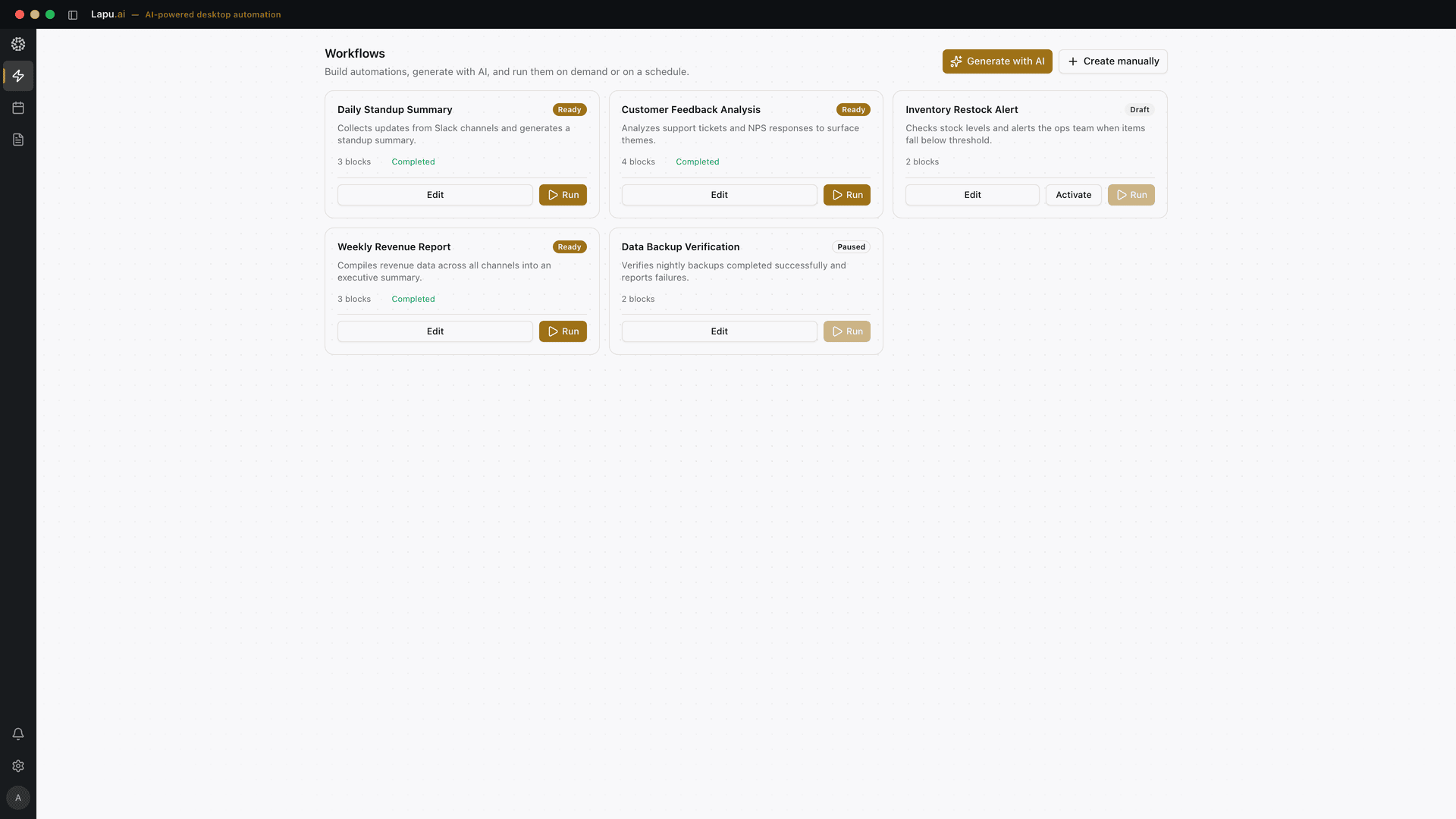
Recurring desktop work becomes scheduled workflows. The team reviews and approves instead of executing keystroke by keystroke, and because the same workflow runs the same way each time, the saving compounds instead of being re-earned every month.
No integration project
Lapu drives your applications through their native automation layer: the interface Windows and macOS already expose for accessibility tools. No API, no middleware, no six-month rollout. If an employee can do it on screen, Lapu can work the same controls.
It holds up on the fiftieth run
Lapu addresses named controls (the Save button, the Amount field), not screen coordinates. A moved window or a changed resolution doesn't put an action in the wrong place, and nothing drifts between run one and run fifty. Lapu also drives real keyboard and mouse input where that is the better fit: SAP GUI, so you never have to enable sapgui/user_scripting. On the intro call we tell you which of your apps land where.
Control you can defend
Sensitive actions require explicit approval. Files stay on the machine. Every step is logged with timestamps and parameters: an audit trail you can show your IT and compliance teams.

Bring one workflow, we'll map it live.
How Lapu addresses an application.
The part of this that matters to your IT reviewer is not that an agent clicks things. It is which interface it clicks them through.
- It does not take over your machine.
- Your mouse and keyboard stay yours. A task can run while you keep working.
- It does not break when the screen changes.
- Window moved, resized, different resolution, different theme: the Save button is still the Save button.
- It repeats reliably.
- This is the difference that matters most for recurring work. A screenshot-and-click agent that succeeds once can fail on the fiftieth run because something shifted a few pixels. Named elements do not drift.
We publish no reliability benchmark, so treat this as a description of the mechanism, not a number. On the intro call we map your specific apps and tell you which ones land where.
Which of your applications Lapu can drive.
Modern stack, legacy stack: same agent.
Automates work across the tools your team already uses, right from your desktop.
 Google Workspace
 Microsoft 365
 Salesforce
 HubSpot
 Notion
 Jira
Jira GitHub
 Figma
Figma Zoom
Zoom Stripe
 Asana
Asana Airtable
 Linear
And the apps with no logo on this strip.
The strip above is the easy part. Lapu also drives the software integration platforms can't reach: the 15-year-old Windows app your business actually runs on. It works through that app's own automation layer, so it needs no API and no cooperation from the vendor.
How Windows automation worksWhere teams put Lapu to work first
- OperationsOrder intake to ERP, status reports, cross-app data moves.
- FinanceInvoice extraction to Excel, reconciliation prep, monthly close packages.
- Back-office & adminDocument processing, folder hygiene, archive migrations.
- Customer serviceCase data lookups across tools, response drafting from internal files.
Rollout
From intro call to running workflows in under a month.
- Day 0Intro call: 30 minWe map 2–3 of your recurring workflows and tell you which are automatable. If Lapu isn't the right fit, we'll say so.
- Weeks 1–2PilotA fixed-scope pilot: 2–5 users, your real workflows, our help setting them up. You measure the hours. Scope and pricing are agreed on the intro call.
- Week 3RolloutStandard macOS and Windows installers, compatible with your device management. Runs on physical machines and VMs alike. No server-side infrastructure to deploy.
- Week 4Review & scaleWe review pilot results together: hours saved, error rates, and the next workflows worth automating.
Step 1 costs 30 minutes. Everything after it is your call.
Built to pass your IT review.
An agent with access to files and desktop apps has to clear a higher bar than a chatbot. That's how Lapu is architected.
- Permissioned execution
- Every sensitive action requires explicit user approval before proceeding. File writes, shell commands, and desktop automation are gated by default. The agent never acts beyond its granted scope.
- Local-first architecture
- Files and data remain on the user's machine. There is no Lapu AI cloud storage, no remote workspace, and no ambient data collection. When AI reasoning is needed, only the relevant context is sent to the model endpoint managed by Lapu AI.
- Full audit trail
- Every agent action is logged and visible in real time. Tool invocations, file operations, and model calls are recorded with timestamps, parameters, and outcomes for complete operational transparency.
- Context isolation
- The agent runtime separates renderer, backend, and system-level processes. Each component operates within defined boundaries to limit the scope of any single action.
| Your files | Stay on the machine. No Lapu cloud storage. |
|---|---|
| Task context | Only the relevant excerpt is sent to the model endpoint, per task. |
| Action log | Stored locally, exportable for audit. |
- Installers
- Standard macOS and Windows installers.
- Runtime
- Each user's machine: physical or virtual.
- Server components
- None to deploy.
- Device management
- Compatible with your existing tooling.
What is manual work costing you today?
Your team size, your hours, your rates: the calculator only multiplies numbers you give it. Then the harder question: what would the alternative cost?
What manual desktop work costs you per year
$92,000
Your numbers × 46 working weeks. Nothing assumed, nothing inflated.
And what would the alternative cost?
Most teams weighing this have three options on the table: keep doing the work by hand, buy a traditional RPA platform, or run a desktop agent. They do not fail in the same place, and the honest comparison is not about which one is most capable.
Who builds a workflow
- Lapu AI
- The person who already does the job describes the outcome in plain language.
- Manual today
- Nobody: a person redoes it by hand every time.
- Traditional RPA
- An RPA developer records and scripts it in a studio.
Time to the first working automation
- Lapu AI
- A simple job in the first session. Complex ones still take iteration.
- Manual today
- None, and none saved.
- Traditional RPA
- Scoped as a project: typically weeks, and it competes for developer time.
When the vendor updates the app
- Lapu AI
- Elements are resolved at run time by name, so many UI changes need no edit at all.
- Manual today
- The person adapts without noticing.
- Traditional RPA
- Recorded selectors get re-checked and often re-recorded.
How it is licensed
- Lapu AI
- Per user, or per bot, if that is the model your finance team already runs.
- Manual today
- Salary and overtime.
- Traditional RPA
- Per bot, with unattended capacity licensed separately.
Reliability on the fiftieth run
- Lapu AI
- High. Named controls, and no drift between run one and run fifty.
- Manual today
- Human error creeps in with volume and fatigue.
- Traditional RPA
- High. Mature RPA targets UI elements, not pixels.
Where it genuinely wins
- Lapu AI
- Attended desktop work across the apps that never got an API.
- Manual today
- One-off work, and anything that needs real judgment.
- Traditional RPA
- Unattended, high-volume runs with queues, retries, SLAs and central governance.
The license is rarely the expensive part. In most automation programmes the recurring cost is maintenance: someone keeping recorded steps working as vendors ship updates, and that cost scales with the number of workflows you own, not the number of times they run. Lapu resolves controls at run time from a plain-language description, so a moved field or a re-skinned screen usually does not mean a re-record.
That is the entire cost argument, and it only pays off when the work actually repeats. For a one-off job, none of this is worth buying, and if you need thousands of unattended transactions a day with queues and SLAs, a dedicated RPA platform is the right purchase and we will say so on the call.
A good fit, and an honest miss.
Lapu is a strong fit if:
- Your team runs recurring, rule-describable desktop work
- Key software has no API, or an expensive one
- Work spans several apps and someone is the glue between them
- You need control and logs, not a black box
Lapu is probably not for you if:
- Your entire stack is cloud tools with solid APIs: an integration platform may be cheaper
- The work requires judgment calls a human must own end to end
- Your critical apps live in Citrix, a VDI session, or a terminal emulator. There is no automation layer to address there
- You need a fully on-prem language model today
New product, honest terms.
Lapu is new. Instead of borrowed logos, we offer proof on your own workflows: a two-week pilot on your real processes, with hours measured against your baseline. If the numbers don't work, you'll know in 14 days.
Sounds like you? . Not sure? Book it anyway, qualifying honestly takes us 10 minutes.
The questions procurement will ask
How does Lapu actually control our applications, and will it break?
Lapu works in the driver layer, not the mouse and keyboard. It talks to each application's native automation layer (Windows UI Automation, macOS AXUIElement), the same interface a screen reader uses. That layer exposes an app as named elements: the Save button, the Amount field, the third row of a table. Lapu addresses those elements directly instead of clicking pixel coordinates. So a moved window, a different resolution, or a new theme does not put an action in the wrong place, and a workflow does not drift between the first run and the fiftieth.
Two honest caveats. Lapu also supports driving real keyboard and mouse input, and there are apps where that is the right call rather than a degradation: SAP GUI is the clearest, because it means you never have to enable sapgui/user_scripting, a setting most security teams keep off. In that mode the agent occupies the session while it runs. Where an app publishes nothing to address at all (Citrix and VDI sessions, terminal emulators, some custom-drawn interfaces), reading falls back to OCR and vision, which is less robust.
And we publish no reliability benchmark, so treat this as a description of the mechanism, not a number. On the intro call we map your specific apps and tell you which ones land where.
How does deployment work?
Lapu AI ships as standard macOS and Windows installers and runs on each user's machine: physical or virtual. VMs are a supported deployment target, so bots can run on dedicated virtual machines. There is no server-side component to stand up; rollout works with your existing device-management tooling, and most teams are running within days, not quarters.
How is Lapu licensed for teams?
The Teams plan includes a shared usage pool, unlimited seats, a team management console, and centralized billing. Enterprise adds SSO/SAML, a custom SLA, and custom deployment. If you prefer the model you know from RPA platforms, per-bot billing is available too. You license each bot instead of per-user seats. Both are priced to your scope; that conversation starts on the intro call.
We already run UiPath or Power Automate. Where does Lapu fit?
Usually alongside them, not instead of them. Those platforms are built for unattended, orchestrated volume (queues, retries, SLAs, central governance), and Lapu does not replace that. Where they get expensive is the long tail: the workflow one team runs twice a week, the legacy app nobody wrote a connector for, the process that changes every quarter. Each of those still needs a developer to build and maintain it and a bot to license, so the business case rarely clears. Lapu covers that tail at per-user pricing, with the person who already does the work describing it instead of filing a ticket. A rough rule: if your automation backlog is mostly long tail, start with Lapu; if it is mostly high-volume batch, keep the platform and use Lapu for what the platform keeps declining.
What data leaves our machines?
Files and workspace data stay local: there is no Lapu cloud storage. When a step needs AI reasoning, only the relevant context for that step is sent to the model endpoint. Every action is written to a local, exportable audit log. The full architecture is documented on our security page.
Can we control what the agent is allowed to do?
Yes. Sensitive actions (file writes, shell commands, desktop automation) are gated behind explicit approval prompts by default, and every action lands in the audit trail. The agent never acts beyond the scope it has been granted.
What does the pilot involve and what does it cost?
A two-week, fixed-scope engagement: 2–5 users, 2–3 of your workflows, hands-on setup help from us, and hours measured against your baseline. Pilot pricing depends on scope and is agreed on the intro call, no long-term commitment required.
What support do we get?
Teams plans include priority support; Enterprise adds a dedicated account manager and a custom SLA. During the pilot you work directly with us on workflow setup.
How do you handle our security and data-processing requirements?
Bring them to the intro call. We walk through the data-flow architecture, the permission model, and the audit trail with your IT or compliance stakeholders, and handle data-processing terms as part of procurement.
Question we didn't answer? .
Bring us one workflow. We'll show it running.
A 30-minute call: you describe 2–3 processes, we tell you what's automatable, you leave with a pilot plan, or an honest "not yet".
30 minutes · no obligation · we'll tell you if it isn't a fit
- Pick a slot that suits you
- No preparation needed
- Summary & pilot proposal within 24h
Prefer to try it yourself first? Download the desktop app