
The best AI agent for Document Automation in 2026
Read, extract, reformat, and route Word, PDF, and scanned files locally, permission-gated, with an audit trail.
- 1-click uninstall
- Cancel anytime
- Files never leave your computer
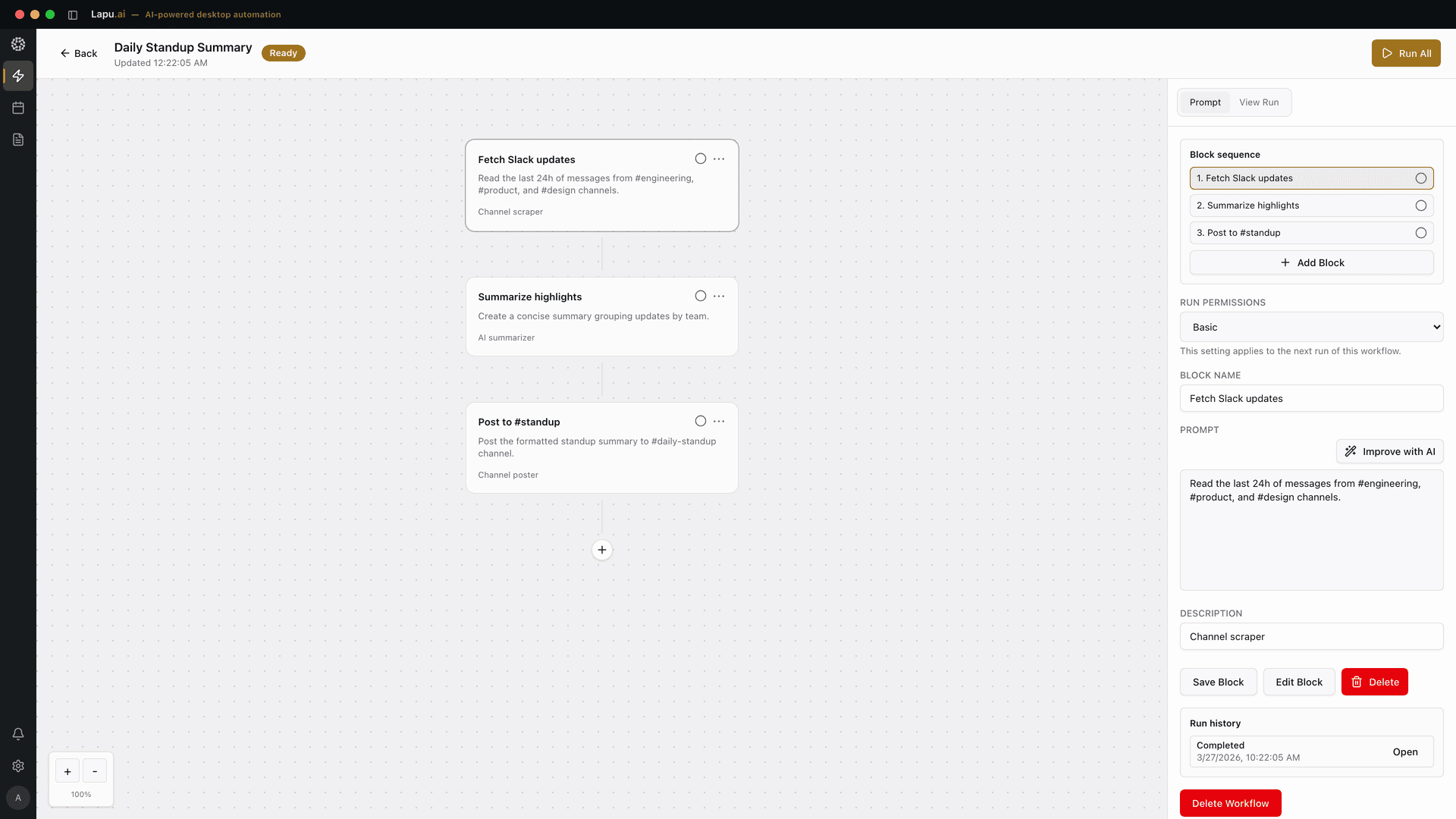

What Document Automation means
Document automation is the work of getting software to do the repetitive document jobs a person would otherwise do by hand: read a Word file, PDF, or scanned page, pull the fields that matter, reformat or fill a template, rename and file the result, and route it to the next app or person. Document workflow automation is the same idea stretched across a process (an invoice arrives, gets read, gets validated, gets filed, gets posted), and document process automation adds the approvals, handoffs, and status tracking that turn a one-off script into something a team runs every day. Intelligent document automation is the label for the modern version of all this: instead of a rule-per-vendor template, a model reads the document, classifies it, and extracts the fields even when the layout it has never seen. The category splits along one axis that matters for teams handling contracts, HR files, and financial paperwork: does the document-automation software require you to upload every file to a cloud document-management system, or can it work on the file where it already lives on your machine. Mature DMS and workflow platforms (DocuWare, Nintex) are excellent at centralized, high-volume, multi-person document processes, but they are cloud or server systems your documents live inside. High-volume intelligent document processing engines (ABBYY, Kofax/Tungsten) extract at scale with 90%-plus accuracy, but they route every page through a processing pipeline your IT team stands up and governs. Adobe Acrobat keeps a single file local and reads contracts well, but it is a PDF tool, not a workflow. A desktop AI agent like Lapu AI sits in the gap: it opens the Word doc, PDF, or scan on disk, extracts or reformats what you asked for, fills and generates from your own templates, moves the result between the apps you already use, and keeps an audit trail, without the document leaving the machine for storage in a cloud DMS. Concrete jobs a good document-automation agent should handle: read a folder of contracts and pull party, date, renewal, and value into one spreadsheet; take a Word template and generate 40 personalized letters from a data table; turn a stack of scanned forms into structured rows; rename and file a Downloads folder of statements by vendor and month; and reformat a supplier's PDF into your own house Word template.
| Format | Read / extract | Create / write | Notes |
|---|---|---|---|
| Yes | Merge, split | OCR for scanned pages | |
| Word (DOCX) | Yes | Yes | Create and edit in place |
| Excel (XLSX) | Yes | Yes | Formulas preserved |
| PowerPoint (PPTX) | Yes | Yes | Slide-level operations |
What to look for
- Works on the actual document where it lives on your disk (opens the .docx, .pdf, or scan in a Downloads folder, a synced drive, or a network share, reads it, and writes the result back), without requiring you to upload every file into a cloud document-management system first. The buyer test: can it process a confidential contract the team has not approved to sync anywhere?
- Understands document structure, not just raw text: separates a heading from a clause from a signature block, distinguishes an invoice date from a due date, reads a table as a table, and handles the messy variety of real files (native PDFs, Word, and scanned pages that need OCR) rather than dumping the whole page into a flat string
- Fills and generates from your own templates: takes a Word or PDF template and a data table and produces personalized letters, contracts, or reports in your house format, preserving styles, fields, and formatting, instead of locking the output inside a proprietary document format you then have to convert
- Routes the result into the apps and folders you already use (appends a row to your Excel tracker, renames and files the PDF by vendor and month, drops the finished document in the right SharePoint or Slack channel), so document workflow automation spans more than one app instead of stopping at the tool's own boundary
- Permission-gated for anything consequential: overwriting a file, deleting or moving documents in bulk, sending a file by email, or posting to another system requires explicit approval, with a visible preview of the change before it applies and nothing irreversible on the first run
- Keeps an audit trail of every step (which file, which field, which value, the page it came from, and the model that read it), so a reviewer, an auditor, or a disputed-document check can trace, replay, or roll back a batch, which is the artifact a compliance or legal review actually needs
Top tools compared
1. Lapu AI
High fitBuilt for desktop-native document automation on the files where they already live, the contract in your Downloads folder, the scanned form on your Desktop, the folder of supplier statements your team dropped in a synced drive. Point the agent at a file or a folder, describe the job in plain English: 'read every contract in ~/legal/renewals, pull party, effective date, renewal date, and annual value into ~/legal/renewals.xlsx, and rename each PDF to vendor-YYYY-MM', and it reads each document on disk, runs OCR on the scans, extracts the fields, and writes the result into the actual Excel file while renaming and filing the source PDFs. It also runs the generate direction: hand it a Word template and a data table and it produces personalized letters or reports in your house format, one per row. The document never leaves the machine for storage; relevant document context is routed through Lapu AI infrastructure to hosted model providers for reasoning. Every consequential step (overwriting a file, moving or deleting documents in bulk, emailing a file, posting to another system) is gated by an explicit permission prompt the first time the workflow runs, and the audit trail records the field, the value, the source page, and the model so a reviewer can replay or roll back a batch. It bridges naturally into the rest of the desktop: see the AI Word-document tasks walkthrough for the create-and-edit side, the best AI agent for invoice processing for the finance-document variant, and the best AI agent for screen scraping when the source data lives in a legacy Windows app instead of a file. It is a natural fit inside the broader desktop automation guide, where the documents come out of desktop apps that have no API. Where it shines: teams that handle sensitive contracts, HR files, and financial paperwork and cannot upload it to a cloud DMS; mixed batches of Word, native PDFs, and scans; jobs that end in your own Excel, Word, or filing structure rather than a vendor's repository. Where it is weaker: it is not a centrally-administered, high-volume, unattended document-management platform with server-side records retention, granular per-role routing, and 24/7 touchless throughput, for that scale of governed processing, DocuWare, Nintex, or a dedicated IDP engine are the right shape.
Learn more →2. DocuWare
Medium fitMature document-management and workflow-automation platform used by more than 20,000 organizations and named a Challenger in the 2026 Gartner Magic Quadrant for Document Management. Captures, indexes, routes, and archives documents with a full workflow engine (assign tasks to roles, define substitution rules, route by metadata, trigger approvals), plus AI-powered Intelligent Indexing, electronic forms, and Microsoft Teams and Outlook integration. Deploys as multi-tenant cloud, on-premises in your own data center, or hybrid, so a team with strong IT can keep documents inside their own servers. Where it shines: a centralized, governed, multi-person document repository where paperwork is captured once and routed through defined approval processes with server-side retention, the system of record for a whole department. Where it falls short for this task: it is a records platform your documents live inside, which means bringing files into DocuWare's archive and configuring workflows, rather than an attended agent that acts on the loose files already on one person's disk and files them back into that person's own folders. It is priced and shaped for a department standing up a repository, not for an operator who needs a folder of contracts in Excel this afternoon.
Learn more →3. Nintex
Medium fitProcess-automation platform with a strong document-generation module (Nintex DocGen) and built-in AI actions. Generates contracts, invoices, quotes, proposals, and reports as Word, Excel, PowerPoint, or PDF from CRM, ERP, and legacy data, and chains the full process (complete a form, process a document, route for review, generate the document, route for approvals, and send for e-signature), in a single no-code workflow. AI actions extract, translate, summarize, and pull key fields from inbound documents and images. Where it shines: teams that live in Salesforce or SharePoint and need on-brand documents generated at scale from structured system data, with approvals and e-signature wired into one governed flow. Where it falls short for this task: it is a cloud workflow platform anchored to the systems it integrates with (its DocGen strength is deeply tied to Salesforce), so the value shows up when your data already lives in a connected CRM or ERP, not when the job is a folder of loose PDFs on a laptop that never touch those systems. It is a build-a-workflow platform for admins, not an attended agent you point at local files.
Learn more →4. ABBYY (Vantage / FlexiCapture)
Medium fitA recognized leader in intelligent document processing. ABBYY Vantage is a low-code IDP platform with pre-trained 'AI Skills' for 150-plus document types (invoices, receipts, IDs, tax forms, bills of lading), that reach around 90% extraction accuracy out of the box and improve through human-in-the-loop review; FlexiCapture is its enterprise predecessor for complex capture. Runs in ABBYY's cloud or in your own on-prem private cloud and scales to millions of documents a day, with out-of-the-box connectors into RPA, BPM, and ERP tools. Where it shines: high-volume, mission-critical extraction where accuracy and throughput justify a managed IDP pipeline, a shared-services team processing hundreds of thousands of documents a month against a stable set of document types. Where it falls short for this task: it is a platform your organization stands up, trains, and governs, aimed at an automation team building a capture pipeline, not an operator who wants to point an agent at a folder of mixed documents today. The extraction is excellent; the setup, licensing, and operating model are enterprise-scale, and the output feeds downstream systems rather than a person's own Excel.
Learn more →5. Adobe Acrobat / Document Cloud
Medium fitThe default PDF tool, now with an AI Assistant and Acrobat Sign. The AI Assistant reads a document, including scanned ones, recognizes when it is a contract, generates an overview, surfaces key terms, answers questions with citations back to the source, and can create summaries and even slide decks. Acrobat Sign adds e-signature with sequential or parallel routing, conditional logic, and reminders, and much of the reading can run on your own machine rather than a hosted parser. Where it shines: understanding, summarizing, and signing individual PDFs and contracts, the single-document reading and e-signature jobs it owns outright, which no desktop agent should try to replace. Where it falls short for this task: it is a document tool, not a workflow. It works one file at a time, has no batch processing of a folder, does not fill or generate from your Word templates across a data table, and does not rename, file, and route documents into your other apps. For reading and signing a contract it is the right tool; for automating a document process across many files and apps it stops at the PDF boundary.
Learn more →6. Kofax / Tungsten Automation (TotalAgility)
Medium fitTungsten TotalAgility (formerly Kofax) is an integrated intelligent-automation platform that combines cognitive capture, low-code process design, and RPA. It classifies and extracts data from information-intensive documents (financial files, contracts, forms), and orchestrates the end-to-end process from capture through workflow and posting, with audit trails and compliance controls; Tungsten was named a Leader in Gartner's inaugural 2025 Magic Quadrant for Intelligent Document Processing. Where it shines: large organizations automating a whole document-driven process (capture, classify, extract, route, post), at high volume with the governance, compliance, and RPA orchestration an enterprise back office needs. Where it falls short for this task: like ABBYY, it is a platform an automation team implements and administers, not an attended tool one person points at a local folder. Its RPA layer targets the same brittle-selector fragility of traditional automation; a desktop agent that adapts when a screen or layout drifts is a different, lighter shape aimed at the individual operator rather than the enterprise pipeline.
Learn more →
What changes
Without Lapu AI
A team lead spends 30 minutes uploading PDFs to an online extractor, copying text, pasting into a Word doc, and reformatting. Sensitive contracts go through a third-party web tool.
With Lapu AI
Lapu AI extracts text from all PDFs, merges the content, and generates the summary document, all locally, in under 5 minutes. No uploads, no third-party tools.
20-45 minutes per batch saved on every run.
Why Lapu AI is built for Document Automation
Document automation is one of the clearest cases for a desktop-native agent over a cloud DMS or a high-volume IDP engine, not because the platform tools extract badly (DocuWare, Nintex, ABBYY, and Tungsten are all strong) but because of where the documents and the trust live. Contracts, HR files, and financial paperwork carry data that a team often cannot route through a third-party processor or park in a cloud repository without a contract its legal or security team has not signed. The output also belongs in the folders, spreadsheets, and Word templates the business already runs on, not inside a vendor's archive. Lapu AI runs on the buyer's machine: it opens the Word doc, PDF, or scan where it sits on disk, extracts or reformats what you asked for, fills and generates from your own templates, renames and files the result, and routes it into the apps you already use, with the document never leaving the machine for storage. It is also adaptive where legacy RPA is brittle: instead of a selector that breaks when a screen or layout drifts, the agent re-reads the document and re-plans. The same agent that reads the contract can run the steps around it: see the AI Word-document tasks guide for the create-and-edit side of intelligent document automation, the best AI agent for invoice processing for the finance-document workflow, and the best AI agent for screen scraping when the data lives inside a legacy app rather than a file. All of it fits the broader desktop automation guide, where the documents come out of desktop apps that never got an API. A practical decision framework: if you are a department standing up a governed, centralized document repository with multi-person routing and server-side retention, DocuWare or Nintex are the right platforms and worth the cloud or server trade-off. If you are an automation team processing hundreds of thousands of documents a month against stable document types, ABBYY or Tungsten's IDP engines are built for that volume. If you need to read, summarize, or sign a single contract, Adobe Acrobat's AI Assistant is excellent. But if you are an operator, finance lead, or small team with a folder of sensitive documents that should stay on your machine, and you want them extracted, reformatted, generated from your own templates, filed, and routed, with a preview and an audit trail before anything is overwritten or sent: Lapu AI is the shape built for that. Because it stays on the desktop, you can read more about how the permission model and local-first design work and how the agent's security posture is structured before you trust it with a document at all.
Say it in plain words
No commands to learn. Tell Lapu AI what you want the way you would tell a coworker.
You
Extract the text from all PDF files in ~/invoices/ and save each as a .txt file with the same name.
You
Merge these 3 PDF contracts into a single document in the order they are listed.
You
Read the data from quarterly-report.xlsx and create a summary document in Word format.
FAQ
- What is the best AI agent for document automation?
- The best AI agent for document automation reads the document where it lives (a Word file, PDF, or scan on your disk), understands its structure rather than dumping raw text, extracts or reformats what you asked for, fills and generates from your own templates, and routes the result into the apps and folders you already use, with a preview and an audit trail before anything is overwritten or sent. For a team handling sensitive contracts, HR, or financial documents that should not be uploaded to a cloud repository, Lapu AI is built for exactly that local, permissioned shape; for centralized high-volume document management, DocuWare, Nintex, ABBYY, and Tungsten are strong managed platforms.
- What is the difference between document automation and document workflow automation?
- Document automation is the single-step work of reading, extracting, reformatting, or generating one document. Document workflow automation stretches that across a process (a file arrives, gets read, gets validated, gets filed, gets routed to the next person or app), and document process automation adds the approvals, handoffs, and status tracking a team runs every day. Lapu AI covers both on the desktop: it does the read-and-extract step on the file in front of you, and it can chain the steps that follow (rename, file, append to a tracker, post to Slack), into one attended workflow. For centrally governed, multi-person process automation with server-side routing, a platform like DocuWare or Nintex is the heavier fit.
- Can Lapu AI automate documents without uploading them to a cloud document-management system?
- Yes: that is the core of the design. Lapu AI opens the document where it sits on disk, runs OCR locally on scans, reads its structure, and writes the result into your own Excel, Word, or filing structure. The file is not uploaded to a Lapu AI cloud or a document-management repository for storage; relevant document context is routed through Lapu AI infrastructure to hosted model providers for reasoning. If policy forbids any external model processing, Lapu AI is not the right fit today. This is the difference from a DMS like DocuWare or an IDP engine like ABBYY, where the document is brought into the platform's archive or capture pipeline. For the full picture of how the local-first design works, see how the security model is built.
- How is this different from DocuWare, Nintex, ABBYY, or Kofax/Tungsten?
- Those are strong, dedicated platforms, DocuWare and Nintex for centralized document management and governed workflow, ABBYY and Tungsten for high-volume intelligent document processing at around 90%-plus extraction accuracy. The difference is shape and setup: all of them are systems an organization stands up, configures, and administers, and your documents live inside them. Lapu AI is an attended desktop agent one person points at the loose files already on their machine. It reads them in place, acts with permission, and files the result back into your own folders. Choose the platforms for centralized, high-volume, governed document processes; choose Lapu when the documents must stay local, the batch is small and varied, and the output belongs in your own Excel or Word.
- What kinds of document-automation software jobs can the agent handle?
- Common jobs include reading a folder of contracts and pulling party, effective date, renewal date, and value into one spreadsheet; generating 40 personalized letters or reports from a Word template and a data table; turning a stack of scanned forms into structured rows; reformatting a supplier's PDF into your own house Word template; and renaming and filing a Downloads folder of statements by vendor and month. Each is an intelligent-document-automation job (a model reads the document, not a rule-per-vendor template), and each runs on the file where it already lives. For the umbrella concept, how model-based extraction differs from rule-per-vendor templates, see intelligent document automation. For the Word create-and-edit side specifically, see the AI Word-document tasks walkthrough.
- Can the agent generate documents from a template, not just read them?
- Yes. Give Lapu AI a Word or PDF template and a data table (a spreadsheet of clients, orders, or employees), and it produces one personalized document per row in your house format, preserving styles, fields, and formatting. This is the generate direction of document automation: mail-merge-style letters, filled contracts, and reports, but driven in plain language and chained with the read-and-file steps around it. The agent shows you a preview of the first generated document before it produces the full batch, and every file it writes is recorded in the audit trail.
- Is it safe to let an AI agent process my contracts and confidential documents?
- Lapu AI is built around three answers. First, every consequential action (overwriting a file, moving or deleting documents in bulk, emailing a file, posting to another system) is gated by an explicit permission prompt the first time a workflow runs, and you can promote a trusted step to auto-approve once you are comfortable. Second, the agent shows the plan and a preview before any file is touched, so you correct it ahead of the change rather than after. Third, every step is recorded in a local audit trail, retained up to 90 days, that you can replay or roll back. The source file and output stay on the machine, while relevant document context is routed through Lapu AI infrastructure to hosted model providers for reasoning. If policy forbids any external model processing, Lapu AI is not the right fit today. See the agent security overview for the full posture.
- Does document automation with Lapu AI work on scanned files and on both macOS and Windows?
- Yes to both. The agent runs OCR on scanned PDFs and photographed pages on your machine before extraction, so an image-only document is read the same way a native file is, though, as with any OCR, a low-resolution or skewed scan is harder and is more likely to be flagged for review than extracted with false confidence. Lapu AI runs on macOS 12+ and Windows 10+ with the same prompts, the same workflow library, and the same permission model; the local reading, extraction, template generation, filing, and audit trail behave the same on both. On Windows it also fits the broader legacy-app automation lane, where documents come out of desktop applications that have no API.
- What is the best document automation tool for local files?
- The best document automation tool for local files should read Word files, PDFs, and scans in place, preserve document structure, write results into your existing folders and apps, and require approval before it overwrites or sends anything. Lapu AI fits that attended, desktop-native job; a document-management platform is the better choice when a department needs a centralized repository, server-side retention, and multi-person routing.
- How should a small team compare document automation software?
- A small team should compare document automation software by where files must live, which formats it reads and writes, whether it handles a complete cross-app workflow, and how people review consequential changes. Test each option on one real mixed batch of Word files, PDFs, and scans, then check the output, exception handling, permission prompts, and audit trail before committing to a platform.
- What does purchase order automation include?
- Purchase order automation turns an approved request into a consistent order record by reading the source documents, checking vendor and line-item fields, filling the team's template, and routing the completed purchase order for review before it is sent or posted. Lapu AI can run those attended desktop steps across local PDFs, Word templates, and spreadsheets, with approval before sending or posting. The matching stage then connects to the invoice processing workflow when the supplier invoice arrives.
- How do AI tools automate document intake and routing?
- AI document intake usually has four steps: read the incoming file, classify its document type, extract the fields needed for the process, and route the file or data according to that classification. Google Cloud's Document AI overview documents processors for OCR, extraction, classification, and splitting, and says document classification can drive downstream extraction and storage. For an attended desktop workflow, Lapu AI can propose the destination and require approval before moving a file or posting its data; a dedicated IDP or workflow platform is the better fit for high-volume server-side routing.
Sources
- DocuWare Named Challenger in 2026 Gartner Magic Quadrant for Document Management
- ABBYY Vantage: Intelligent Document Processing Platform (150+ pre-trained AI Skills, ~90% out-of-the-box accuracy)
- Tungsten Automation Recognized as a Leader in 2025 Gartner Magic Quadrant for Intelligent Document Processing Solutions
- Nintex DocGen: Document Generation Solutions
Related
- Best AI agent for Data Entry Automation →
- Best AI agent for Desktop Task Automation →
- Best AI agent for Excel Automation →
- Best AI agent for File Organization →
- Best AI agent for Form Filling →
- Best AI agent for Invoice Automation →
- More best-for guides →
- See Lapu AI use cases →
- Compare with alternatives →
- Pricing →
Try Lapu AI free
Built for Document Automation. Free download: see exactly what the app looks like first.
- 1-click uninstall
- Cancel anytime
- Files never leave your computer
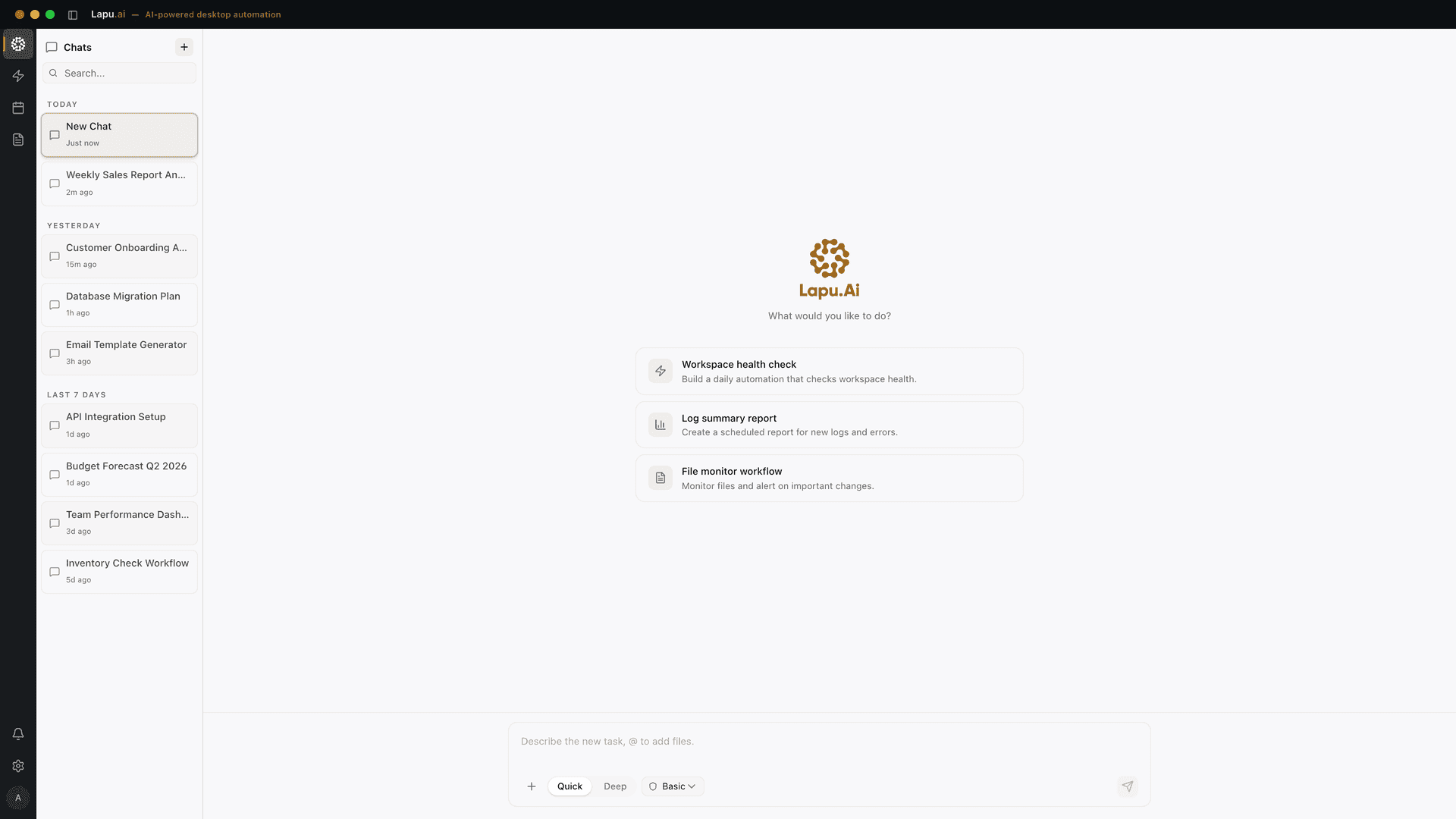
Automate the work between you and outcomes
Lapu AI handles the repetitive work between you and outcomes. One desktop agent, zero tab-switching. Available now on macOS and Windows.
- 1-click uninstall
- Cancel anytime
- Files never leave your computer
Free to start. Cancel in 1 click. Files stay on your machine.