
Best Perplexity Desktop alternatives in 2026

Perplexity's desktop story in 2026 is really two products: Comet, a free Chromium-based AI browser (macOS, Windows, iOS, Android) with page summarization and cross-tab context, and Computer, a $200/month Max-tier agent that runs in an isolated cloud environment against 400+ SaaS integrations. Both are strong for finding and citing answers on the web, but neither reads your local files in place, drives your everyday desktop apps, or works without a $200/month tier for the agent side. People search for a Perplexity desktop alternative when they want AI that does the actual work — open the file, run the command, click through the app — on their own machine, not in a browser tab or a cloud VM. Here are five real options ranked by how much they execute outside a tab.

Last verified: 2026-07-09

Download freeFree · macOS & Windows · No credit card
  • 1-click uninstall
  • Cancel anytime
  • Files never leave your computer
#1

Lapu AI

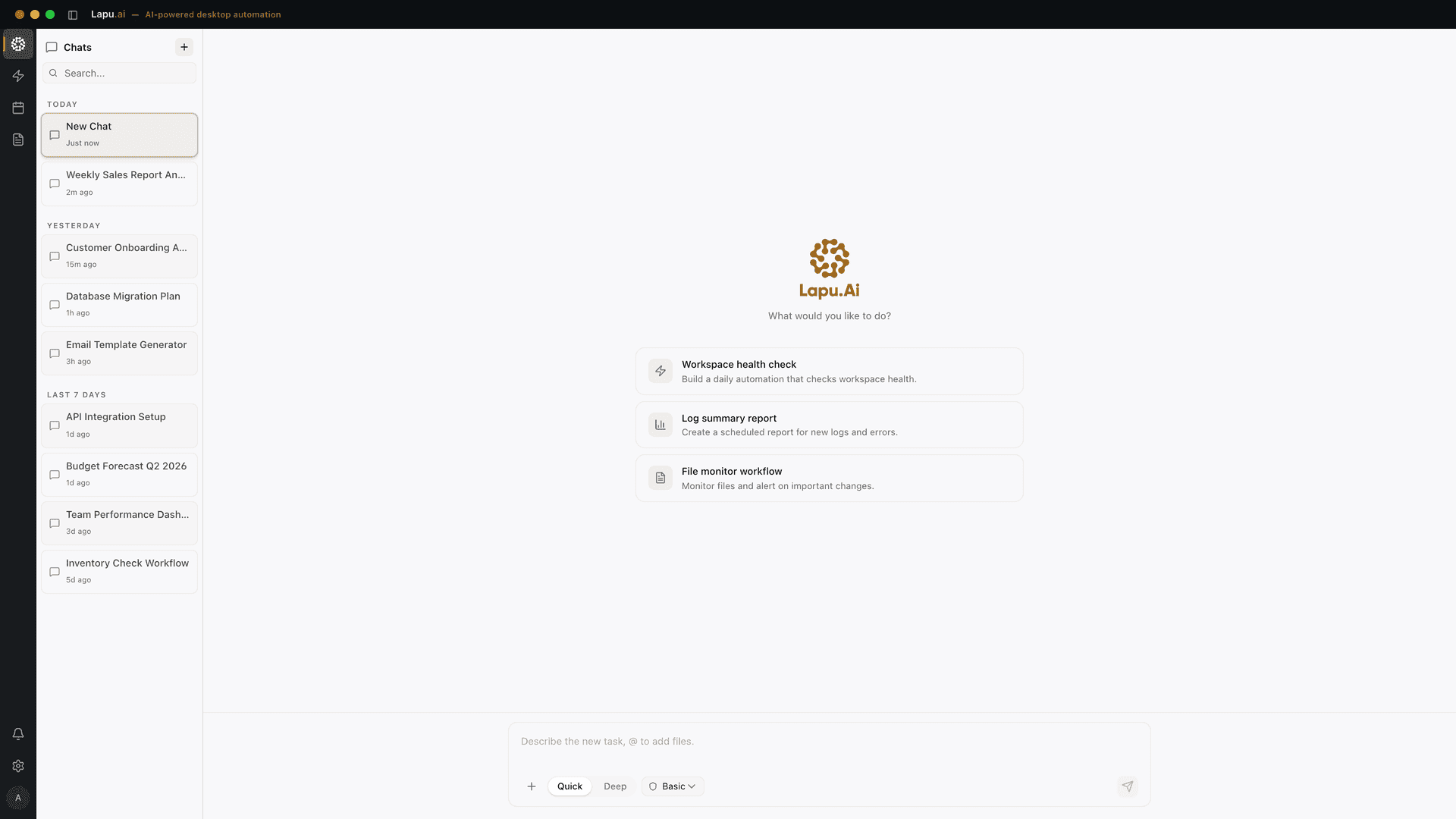
Lapu AI is a desktop AI agent for macOS and Windows built for non-technical users. Where Comet is a browser wrapping an AI and Perplexity Computer runs your task in a cloud VM, Lapu AI runs directly on your machine — reading files in place on your filesystem, executing shell commands, and controlling other applications through native accessibility APIs, with explicit user approval at every sensitive step. Built-in frontier models from multiple providers mean no API keys to manage and no per-token bill. Model selection happens automatically: fast models for quick lookups, more capable models for multi-step reasoning. Audit trails of every action are retained for up to 90 days so you can inspect exactly what the agent touched.

Pros

  • Executes multi-step tasks across your real files, terminal, and apps — not just tabs
  • Permission gate on every risky action with full audit trail retained 90 days
  • Built-in frontier models — no API key, no provider setup, no per-token bill
  • No cloud VM: files stay on your machine, and reasoning still uses whichever model fits the step
  • Free tier with no credit card; Premium $20/month, Pro $60/month, Max $100/month — half of Perplexity Max

Cons

  • Not a web browser — no page summarization or ad blocking; keep Comet as your browser if you want that
  • Smaller SaaS-integration catalog than Perplexity Computer's 400+ apps
  • Reasoning still needs a network connection — the agent is local-first for files, not a fully offline LLM runtime

Best for: Anyone who wants AI to open the file and do the task, not read the page and describe it

Learn more →
#2

Claude Cowork

Claude Cowork is Anthropic's desktop agent that plans and executes multi-step work with strong document reasoning at its core. It handles file-based work on your machine, task planning across steps, and — as of July 2026 — extends to web and mobile so a task started on the laptop can continue in the background and be reviewed from a phone. Excellent long-document reasoning (Claude Projects and 200k-token context), stronger writing quality than Perplexity's synthesized answers, and access is Max-plan first with rollout to other tiers. It is closer to a research + reasoning + planning agent than a full desktop OS controller, but the gap to Perplexity Computer on 'AI that acts' is significantly smaller than Comet's.

Pros

  • Deep document reasoning with Claude's 200k-token context and Projects
  • Strong writing and analysis quality — a genuine step up from Perplexity's synthesized summaries
  • Cross-device continuity (desktop → web → mobile) as of the July 2026 rollout

Cons

  • Rolling out from Max downward — general-plan availability lags
  • Less breadth than Perplexity Computer's 400+ SaaS integrations out of the box
  • Not focused on non-IDE app control the way a computer-use agent is

Best for: Perplexity users who want stronger writing and reasoning, not just cited answers

Learn more →
#3

ChatGPT Atlas

OpenAI's answer to Comet — a Chromium-based browser with ChatGPT built into every tab. Announced October 21, 2025 for macOS, Atlas ships to Free, Plus, Pro, and Go users, with Business in beta and Windows, iOS, and Android still unreleased as of mid-2026. Inside the browser it does cross-tab context, page summarization, and — with ChatGPT Agent / Operator on eligible tiers — multi-step task execution against websites. Strong general model quality and the largest plugin/Custom GPT catalog. Like Comet, most of what it does still happens inside browser tabs; it does not run shell commands or read arbitrary files on your disk.

Pros

  • Strongest general-purpose model catalog (GPT-5 family) and Custom GPT ecosystem
  • Free-tier access to the browser + AI combo (no Pro paywall for the base experience)
  • Operator / Agent adds real multi-step website task execution on Plus/Pro

Cons

  • macOS-only as of mid-2026 — no Windows, iOS, or Android build yet
  • Everything runs in browser tabs, not on your local filesystem or apps
  • Agent execution is metered and gated behind paid tiers

Best for: OpenAI-ecosystem users who want the Comet experience with GPT-5

Learn more →
#4

Manus

Manus is a general-purpose cloud AI agent that runs your task in a hosted virtual machine — closer in shape to Perplexity Computer than to Comet or Lapu AI. Give it a goal (research, spreadsheet build, deck, price-scrape) and it operates a browser and light OS environment on your behalf, returning a deliverable. Strong for hands-off, long-running tasks where you don't need to see the work happen. Not the fit if you want the agent to touch files that live on your actual machine, use apps installed locally, or run inside a corporate desktop policy.

Pros

  • Handles long-running goals end-to-end without babysitting
  • Cloud VM sandbox — nothing running on your desktop
  • No local install; usable from any device with a browser

Cons

  • Everything happens in a cloud VM — your local files aren't there
  • Task credits are consumed per run; complex jobs get expensive
  • No control over locally installed applications or company policies

Best for: Users who want a cloud-hosted agent to run whole tasks unattended

Learn more →
#5

Open Interpreter

An open-source Python tool (Apache 2.0) that lets language models run code — Python, JavaScript, Shell, and more — on your computer through a CLI. It works with cloud models like Claude and GPT-5, or with fully local models through Ollama, LM Studio, Jan, or Llamafile, which makes it the strongest pick here for fully offline operation. Open Interpreter asks for confirmation before executing generated code; the surface area is broad, and the model can touch any file or setting your user account can. Powerful for technical users, but it is a terminal tool, not a polished desktop app, and there is no native GUI or app-control layer.

Pros

  • Open-source under Apache 2.0 — auditable and self-hostable
  • Bring-your-own-model: cloud or fully local via Ollama, LM Studio, Jan
  • Only option here that can run fully offline with a local LLM

Cons

  • CLI-only — requires Python familiarity and manual setup
  • No native GUI or accessibility-API control of other apps
  • Single confirm-before-execute prompt is coarser than per-tool permissioning

Best for: Developers who want a fully self-hosted, optionally offline agent

Learn more →

How to choose

Keep Perplexity Comet as your browser if you want cited answers and page summarization inside tabs — nothing here replaces that specific job, and the free tier now covers most of it. Choose Perplexity Computer if you're already on Max and your work is orchestrating SaaS tools (Slack, Gmail, GitHub, Notion) — the 400+ integrations and $200/month price point suit a heavy SaaS operator. Choose Lapu AI if you want an agent that opens files on your own machine — PDF and document processing, Excel automation, file organization, cross-application desktop workflows — without a $200/month floor or a cloud VM in the loop. Choose Claude Cowork if you want the strongest writing and long-document reasoning with a light-execution wrapper. Choose ChatGPT Atlas if you already live in the OpenAI ecosystem and want Comet-style browsing with GPT-5. Choose Manus if you want to hand off whole cloud-run tasks unattended, and Open Interpreter if you want a fully self-hosted, code-executing terminal agent.

Where Lapu AI fits

Perplexity's desktop story is split across two products with two limitations: Comet is a browser (great inside tabs, blind outside them) and Computer runs in an isolated cloud VM (great for SaaS orchestration, useless for the file sitting on your actual Desktop). Lapu AI sits in the smaller category of desktop AI agents that execute on your real machine — reading files in place, driving apps through native accessibility APIs, running shell commands — with a permission system designed for non-technical users rather than power users. Built-in frontier models remove the API-key step, and pricing tops out at $100/month for Max versus Perplexity Max's $200/month. Honest limits: Lapu AI is not a browser (Comet still wins page summarization inside a tab), it does not have Perplexity Computer's 400+ SaaS integrations, and reasoning still requires network access. If your job is cited web research, keep Comet. If it is orchestrating hundreds of SaaS tools from a cloud VM, Computer is the fit. Lapu AI is for the everyday desktop work that actually lives on your disk.

FAQ

What is the best Perplexity Desktop alternative in 2026?
There is no single best Perplexity Desktop alternative — Perplexity itself is really two products (Comet browser + Computer agent), so the right alternative depends on which side you want. For AI that acts on your actual desktop files and apps, Lapu AI is the closest fit. For a Comet-style AI browser with GPT-5, ChatGPT Atlas. For long-document reasoning, Claude Cowork. For hands-off cloud task automation, Manus. For a fully self-hosted, code-executing terminal agent, Open Interpreter.
Is Perplexity Comet free?
Yes. As of March 18, 2026, Perplexity Comet is free to download and use on macOS, Windows, iOS, and Android. Comet Plus, which bundles premium publisher content from outlets like CNN, Washington Post, and Fortune, is $5/month standalone or included with Perplexity Pro ($20/month) and Max ($200/month).
What is Perplexity Computer and how much does it cost?
Perplexity Computer, launched February 25, 2026, is a multi-model AI agent that runs long tasks in an isolated cloud environment against 400+ SaaS integrations (Slack, Gmail, GitHub, Notion). It requires a Perplexity Max subscription at $200/month, or Enterprise Max at $325/seat/month. A separate Personal Computer product runs on dedicated local Mac hardware.
Does Perplexity Comet run tasks on my local files?
No — Comet is a browser. It summarizes pages, remembers cross-tab context, and can automate multi-step work inside websites (booking, emailing, form fills), but it does not read files sitting on your disk, run shell commands, or control other applications outside the browser tab. If you want that, Lapu AI runs on macOS and Windows and does exactly this with per-action permissioning.
Is Lapu AI cheaper than Perplexity Max?
Yes. Lapu AI Max is $100/month; Perplexity Max is $200/month. Lapu AI also has a free tier with no credit card required, and Premium at $20/month matches Perplexity Pro's price point. Perplexity Computer's task-credit metering can add cost on top of the Max subscription; Lapu AI's plans are flat.
Which Perplexity Desktop alternative is best for non-technical users?
For someone who does not write code and does not want to configure API keys, cloud VMs, or MCP servers, the simplest Perplexity Desktop alternative is Lapu AI: download for macOS or Windows, sign in, and the agent works on your everyday files — spreadsheets, PDFs, folders — with built-in frontier models and no setup. Where Perplexity Comet reads a webpage and describes it, Lapu AI opens the actual file on your disk and does the work, asking permission before each step. ChatGPT Atlas is a decent runner-up if you already use ChatGPT and want a Comet-style browser instead.
Is there a Perplexity Desktop alternative for Linux?
Neither Perplexity Comet nor Perplexity Computer ship official Linux builds. For Linux, Open Interpreter runs anywhere Python does and is the closest self-hosted fit. Lapu AI currently supports macOS and Windows only. For a Linux-native AI browser experience, options are limited — most current AI browsers ship macOS-first.
Can any Perplexity Desktop alternative run fully offline?
Only Open Interpreter with a local model through Ollama, LM Studio, or Jan runs fully offline. Lapu AI runs file operations and shell commands locally, but reasoning still requires an internet connection to reach model providers. Perplexity itself — Comet and Computer — is fully cloud-dependent for both search and reasoning.
What is the best open-source Perplexity Desktop alternative?
Open Interpreter (Apache 2.0) is the strongest open-source pick — it runs generated code with cloud or local models and works on any OS Python runs on. Lapu AI is not open source; it trades that for a turnkey install with built-in frontier models and per-action permissioning for non-technical users.
How is Lapu AI different from Perplexity Computer?
Perplexity Computer runs your task in an isolated cloud VM against 400+ SaaS integrations, gated behind $200/month Max. Lapu AI runs on your own macOS or Windows machine, reads files in place on your disk, and drives locally installed applications through native accessibility APIs — the file sitting on your Desktop, the app already open on your dock. Lapu AI's ceiling on integrations is smaller; its ceiling on 'this works on my actual computer, not a rented one' is higher. Pricing is $0 free / $20 Premium / $60 Pro / $100 Max.
Is Perplexity Computer the same as Perplexity Comet?
No — they are different products. Comet is a free Chromium-based AI browser with page summarization and cross-tab context. Perplexity Computer is a $200/month Max-tier autonomous agent that runs long tasks in a cloud VM against 400+ SaaS integrations. Comet is 'the browser'; Computer is 'the agent that finishes a whole task'. Neither runs on your local filesystem the way a desktop-native agent does.
How do I switch from Perplexity Desktop to Lapu AI?
Download Lapu AI for macOS or Windows, sign in — free tier, no credit card, no API key — and try a task the same day. If you rely on Comet as your browser, keep it: Lapu AI is not a browser and does not try to replace one. Use Lapu AI for the desktop tasks that live outside a tab: opening the spreadsheet on your disk, converting the PDF you were sent, organizing the folder that got out of hand, running the command in your terminal.

Sources

  1. Perplexity Comet Pricing 2026: Free tier, Comet Plus, Pro, and Max explained
  2. What Is Perplexity Computer? The 2026 AI Agent Explained
  3. Perplexity Computer: A complete guide to the AI agent system in 2026
  4. Perplexity launches 'Computer' super agent

Related

Try Lapu AI free

Desktop AI agent for macOS and Windows. No credit card required.

  • 1-click uninstall
  • Cancel anytime
  • Files never leave your computer
Lapu AI agent chat with conversation, tool calls, and execution log

Automate the work between you and outcomes

Lapu AI handles the repetitive work between you and outcomes. One desktop agent, zero tab-switching. Available now on macOS and Windows.

  • 1-click uninstall
  • Cancel anytime
  • Files never leave your computer

Free to start. Cancel in 1 click. Files stay on your machine.

Lapu AI agent chat with conversation, tool calls, and execution log