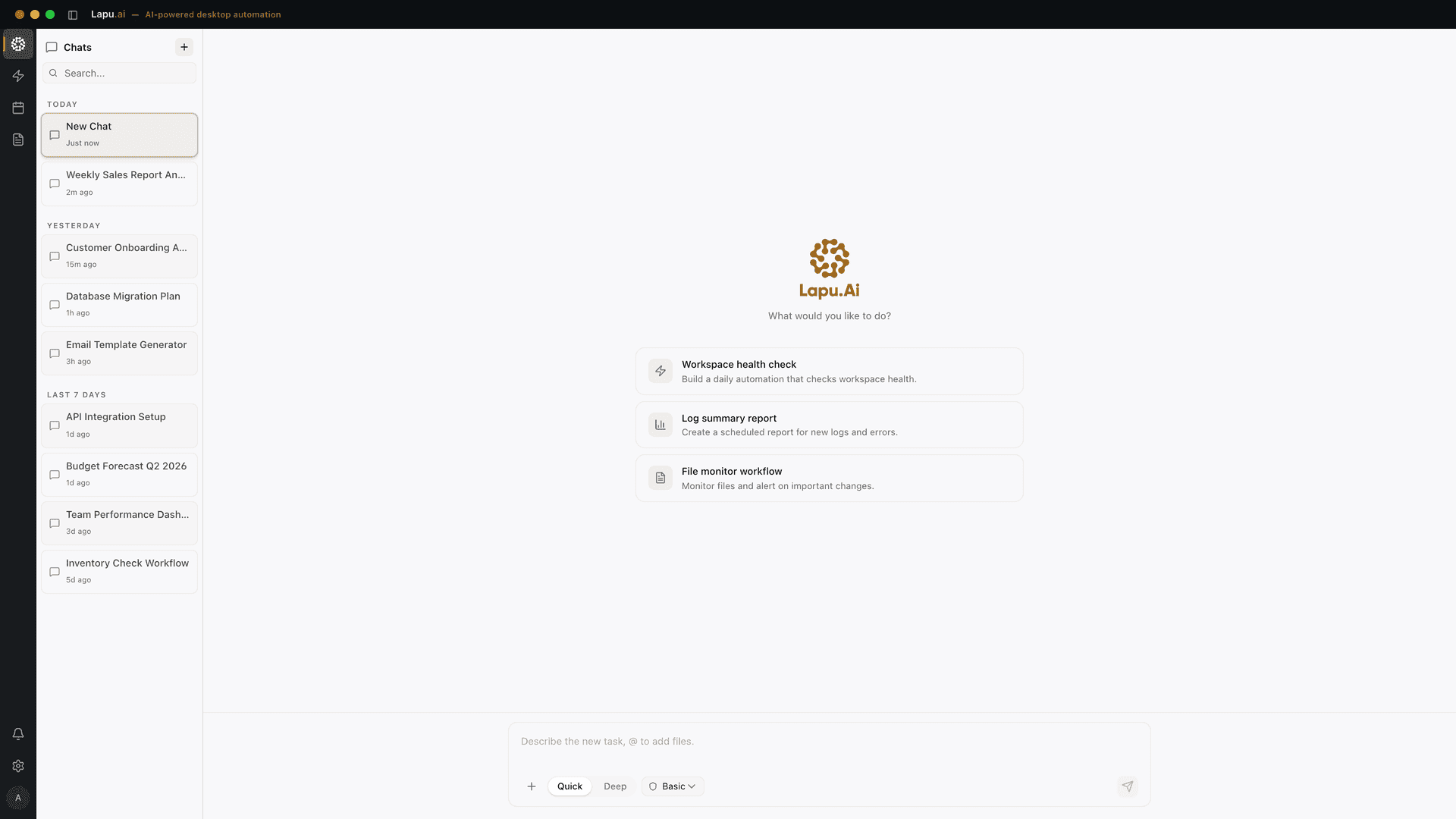
Lapu AI is an AI agent for your desktop, on macOS and Windows, that does what ChatGPT cannot: act on your machine. It reads files anywhere on disk, runs shell commands, processes documents, and automates desktop and web applications through native accessibility APIs, with an explicit user-approved permission gate on every sensitive step and a local audit trail for up to 90 days. Built-in frontier models from multiple providers mean no API key to manage and no per-token billing surprises.
For ChatGPT users who are tired of copy-pasting screenshots and file contents into a chat window, Lapu AI closes the loop. The agent sees your screen the way you do, plans the multi-step task, and acts on it locally. Honest limits: Lapu is not a chat companion for casual conversation, does not generate images natively, and does not browse the open web the way ChatGPT does. It is the right pick when your work involves real files, real terminal commands, and real desktop applications, not when you want a chat partner for ideation.
Pros
- Acts on local files, terminal, and desktop apps: ChatGPT cannot reach any of these
- Permission gate on every risky action plus a 90-day audit trail for review
- Built-in frontier models: no API key, no provider lock-in, no per-token bill
- Free tier with no credit card; Premium $20/month, Pro $60/month, Max $100/month
Cons
- Not a casual chat companion or open-ended ideation tool like ChatGPT is
- No built-in image generation or open-web browsing the way ChatGPT has
- Smaller ecosystem than ChatGPT's GPT Store and plugin marketplace
Best for: Knowledge workers whose ChatGPT prompts mostly start with 'open this file and...'
Learn more →Claude is Anthropic's frontier AI assistant and the closest direct alternative to ChatGPT on raw model capability. It runs on Claude Opus 4.7, Sonnet, and Haiku, with a 200K standard context window and 1M token mode for longer documents. Beyond the web chat, Anthropic ships a desktop app called Cowork for macOS and Windows that lets Claude act on local files and cloud apps on your behalf: a meaningful step closer to ChatGPT's desktop app, with stronger reasoning behind it.
For ChatGPT users whose work is heavy on writing, code, and long-document analysis, Claude is the most defensible swap. The model's voice is widely considered more natural, the reasoning more careful on complex prompts, and the long-context behavior more reliable than GPT's. Pricing tracks ChatGPT: a free tier, Pro at $20/month (annual $200), Max at $100-$200/month for heavier use, and Team and Enterprise tiers above that. Cowork, the desktop agent piece, is bundled into paid plans.
Pros
- Frontier-tier model with 1M token context: strongest for long documents and code
- Cowork desktop app extends Claude into local files and apps on macOS and Windows
- Reasoning quality and writing voice consistently rate above ChatGPT for technical work
- Anthropic's published safety classifiers and per-step permission model for agent work
Cons
- No native image generation (relies on third-party tools for visuals)
- Smaller ecosystem of third-party plugins than ChatGPT's GPT Store
- Higher per-token pricing on the API than GPT for equivalent reasoning tier
Best for: ChatGPT users doing serious writing, coding, or long-document work who want a stronger reasoning model
Learn more →Google Gemini is Google's flagship AI assistant and the cleanest swap for ChatGPT inside the Google ecosystem. Gemini 3 Pro and Ultra power the chat, with native access to Google Search, YouTube, Gmail, Drive, Docs, and Calendar through the Workspace integration. Multimodal handling (voice, image, and video) is built in, and the model handles long-context queries comparable to Claude's.
For a ChatGPT user whose workspace is already on Google: Gmail, Drive, Calendar, Docs: Gemini removes the friction of moving content between systems. Ask it to summarize an inbox thread or pull the action items from yesterday's meeting transcript in Drive, and it can do that without uploads. Pricing: a generous free tier on Gemini 2.5 / 3 Flash, Gemini Advanced (which includes 3 Pro and Ultra) at $19.99/month under the Google AI Pro plan, plus Workspace business plans that include Gemini features.
Pros
- Deep native integration with Gmail, Drive, Docs, Calendar, and YouTube
- Multimodal handling (voice, image, video) baked into the chat at no extra cost
- Google Search grounding: answers can pull from live web with citations
- Strong free tier; paid plans price competitive with ChatGPT Plus
Cons
- Best experience requires you to live inside Google Workspace already
- Cannot act on local desktop files outside the Google ecosystem
- Output quality on technical writing and code still trails Claude and ChatGPT in head-to-head tests
Best for: Gmail and Workspace users who want their AI assistant to read their actual inbox and Drive
Learn more →Perplexity is a conversational search engine, not a chatbot, and that is the point. Where ChatGPT generates answers from training data plus optional web browsing, Perplexity reads the web on every query and returns sourced, cited answers with the underlying URLs surfaced inline. Comet, Perplexity's AI browser, became free on March 18, 2026 and rolled out on iOS, Android, Windows, and Mac; agentic browsing, page summarization, and Deep Research are now standard features.
For a ChatGPT user whose chat history is mostly research queries: 'what is the current state of X', 'compare these three vendors', 'find a recent paper on Y': Perplexity is the better tool. Deep Research generates structured deliverables (PowerPoint, spreadsheets, dashboards) from a single prompt and runs for two to five minutes across 100+ pages. Pricing: free tier, Pro at $20/month (annual $200) with unlimited Pro Search and 20 Deep Research queries per day, and Max at $200/month for unlimited Labs and 10,000 monthly Computer credits.
Pros
- Every answer is cited with source URLs: defensible for research and reporting
- Comet browser brings agentic search directly into your daily browsing flow
- Deep Research generates PowerPoint, spreadsheet, and dashboard deliverables from one prompt
- Pro plan includes Claude Opus, GPT-5.4, and Gemini 3 Pro selectable per query
Cons
- Weaker for open-ended ideation or creative writing than ChatGPT
- Limited handling of local files compared to ChatGPT's file uploads
- Deep Research has daily limits even on Pro (20 queries/day) and burns credits on Max
Best for: ChatGPT users whose prompts are mostly research, news, and 'what is the latest on...'
Learn more →Microsoft Copilot is the AI assistant Microsoft bundles into Windows 11, Edge, and the Microsoft 365 suite. The consumer-facing Copilot at copilot.microsoft.com is free and runs on GPT and Microsoft's own models. The paid Microsoft 365 Copilot ($30/user/month enterprise, $18-21 business) is embedded directly inside Word, Excel, PowerPoint, Outlook, and Teams, with grounding in your organization's actual SharePoint, OneDrive, and Microsoft Graph data.
For a ChatGPT user on Windows whose work happens inside Office documents, Outlook email, and Teams meetings, Copilot is the path of least resistance. Ask it to summarize a 40-page Word draft, build a PowerPoint from a brief, or pull action items from a Teams meeting transcript, all without copying anything into a chat window. Inside Excel it can write formulas, suggest pivot tables, and analyze data the way ChatGPT can only do on uploaded files. The trade-off is the rest of your stack: outside Microsoft 365, Copilot has less to offer.
Pros
- Embedded inside Word, Excel, PowerPoint, Outlook, and Teams, no copy-paste
- Grounded in your organization's SharePoint, OneDrive, and Microsoft Graph data
- Free consumer tier with GPT models; Microsoft 365 Copilot bundled into existing licenses
- Strong agent capabilities for Office tasks (formula generation, deck building, meeting summaries)
Cons
- Limited value outside the Microsoft 365 ecosystem: not a strong general chatbot
- Enterprise plan ($30/user/month) requires existing Microsoft 365 license alongside
- Cannot act on arbitrary local files or non-Microsoft applications the way a desktop agent can
Best for: Microsoft 365 customers whose AI use is mostly inside Word, Excel, Outlook, and Teams
Learn more →How to choose
Stay on ChatGPT if your work is open-ended ideation, casual chat, image generation, or you depend on the GPT Store and custom GPTs ecosystem, nothing in this list matches that breadth in one product. Move to Lapu AI if your prompts mostly start with 'open this file and...' or involve real desktop work that ChatGPT can only watch from the chat window. Move to Claude if you want stronger reasoning, longer context, and a frontier model with a desktop agent attached. Move to Google Gemini if you live in Gmail and Workspace and want your AI to read your actual inbox. Move to Perplexity if your ChatGPT history is mostly research queries that need cited sources. Move to Microsoft Copilot if your work happens inside Word, Excel, Outlook, and Teams and you want AI grounded in your company's documents.
Where Lapu AI fits
Four of the five alternatives above are still cloud chat products in the ChatGPT lineage, better at the things ChatGPT does, but living in the same chat-window category. Lapu AI is the only one in this list that operates a different surface: your actual desktop. The agent reads files on disk, runs shell commands, drives native applications through accessibility APIs, and asks for permission at every sensitive step. For work that involves real files, real terminal commands, and real desktop apps, the chat-window category is structurally limited, copying content in and out of a chat is the bottleneck. A permissioned desktop agent removes that bottleneck. Honest limits: Lapu is not a chat companion or an ideation partner, and it does not generate images or browse the open web. The alternative pick depends entirely on what 'use AI' actually looks like for you: chat or action. For chat, Claude or Gemini; for action, Lapu AI.
FAQ
- Why are people looking for ChatGPT alternatives in 2026?
- Several reasons drive the search. ChatGPT remains a chat product. It cannot act on local files, run commands, or automate desktop applications. Users whose work has shifted toward agent-style tasks (file organization, document processing, cross-app workflows) need a desktop agent like Lapu AI. Heavy research users want cited sources, which Perplexity provides natively. Microsoft 365 users want grounding in their actual company data, which Copilot offers. Long-context and reasoning-heavy workloads often run better on Claude. ChatGPT covers the broadest base but is rarely the best tool for a specific job.
- Which ChatGPT alternative is most similar to ChatGPT itself?
- Claude is the closest direct swap on raw model capability, frontier-tier reasoning, broad chat utility, web and code interpreter tools, an iOS and desktop app. Google Gemini is the closest equivalent for ecosystem breadth, with Search, YouTube, Drive, and Gmail integration. If you want a ChatGPT-shaped product with a better reasoning model behind it, Claude, and if you specifically want the desktop app, see Claude Desktop alternatives. If you want ChatGPT-shaped with Google's data instead of OpenAI's, Gemini.
- How is Lapu AI different from a chat product like ChatGPT?
- Lapu AI is not a chat product: it is a desktop agent that acts on your machine. ChatGPT lives in a chat window and waits for you to paste content in. Lapu reads files directly off disk, runs shell commands, automates native and web applications through accessibility APIs, and produces an audit trail of every action. The trade-off: Lapu is not a casual conversation companion and does not generate images or browse the open web. It is the right tool when the question 'what would ChatGPT do here' is really 'someone needs to open this file and act on it.'
- Can ChatGPT automate tasks on my desktop the way Lapu AI does?
- No. ChatGPT's desktop app is a chat interface with evolving screen awareness, not a system-level automation agent: it cannot edit files on your disk, run shell commands in your terminal, or click through a native application on your behalf. Code Interpreter executes code in OpenAI's sandbox, not on your machine, so it cannot reach the workbook on your Desktop either. Lapu AI drives real desktop apps through the OS accessibility APIs and asks permission before each consequential action. The honest inverse also holds: ChatGPT browses the web, generates images, and runs on mobile; Lapu AI does none of those.
- Does Lapu AI use OpenAI models?
- Lapu AI uses frontier language models for reasoning and task execution, and the AI is built into the product. There are no API keys to manage and no model provider to configure before the first run. That is a difference from developer-facing agent tooling, where you supply your own key and pay the provider directly. What matters for the alternative decision is not which lab's model is behind the reasoning step but where the work happens: ChatGPT reasons and acts inside OpenAI's servers, Lapu AI reasons in the cloud and acts on your machine, with only minimal context leaving the disk.
- Are these ChatGPT alternatives cheaper than ChatGPT Plus?
- Pricing roughly matches ChatGPT Plus ($20/month) for the consumer tier across most of these. Claude Pro is $20/month. Perplexity Pro is $20/month. Google AI Pro (including Gemini Advanced) is $19.99/month. Microsoft 365 Copilot consumer is bundled into Microsoft 365 Personal ($9.99/month) and Family ($12.99/month). Lapu AI has a free tier with no credit card and Premium at $20/month. For business plans the pricing diverges more: Microsoft 365 Copilot enterprise sits at $30/user/month, Claude Team and Enterprise scale with seats, Perplexity Max is $200/month. None of these are dramatically cheaper than ChatGPT Plus; the differentiator is what each does, not the per-month sticker.
- Can I use ChatGPT and one of these alternatives together?
- Yes: most knowledge workers in 2026 run two or three AI tools in parallel. ChatGPT plus Perplexity is a common pair, with ChatGPT for ideation and Perplexity for cited research. ChatGPT plus Lapu AI works because the categories do not overlap: ChatGPT for the chat-window work, Lapu for the desktop-action work. Microsoft Copilot plus Lapu AI inside a Windows shop covers both Office-integrated AI and general desktop automation. The mistake is picking one tool and forcing every workload through it.
- Which ChatGPT alternative is best for privacy?
- Lapu AI has the strongest local-first story: file reads happen on your machine, audit trails are local, and the permission gate fires on every sensitive action. Claude's Enterprise plan offers zero-retention API access and SOC 2 attestation for organization deployments. Microsoft 365 Copilot operates inside your tenant boundary, with Microsoft Graph data never leaving your tenancy. ChatGPT Enterprise and Teams plans offer similar tenant isolation. The consumer free and Pro tiers of any cloud chat (ChatGPT, Claude, Gemini, Perplexity) should not be treated as private by default. Read the data-use opt-out settings before pasting sensitive content.
- Does any ChatGPT alternative replace the GPT Store and custom GPTs?
- Not on equivalent terms. Claude has Projects (project-scoped instructions and files) and Skills (reusable workflows), but no public marketplace at ChatGPT's scale. Microsoft 365 Copilot has Agents inside Microsoft 365 admin, scoped to your tenant. Perplexity has Spaces for grouped conversations. The Model Context Protocol (MCP), now supported by Claude, Lapu AI, and a growing list of products, is the closest open standard equivalent to a GPT: reusable tool servers any MCP-compatible client can connect to. The trade-off is that no other product matches the discoverability of the GPT Store today.