
Lapu AI vs Manus
Last verified: 2026-05-31
- 1-click uninstall
- Cancel anytime
- Files never leave your computer
What is Manus?
Manus is an autonomous AI agent from Butterfly Effect (acquired by Meta in December 2025). By default it runs each task inside a fully isolated cloud virtual machine (its own networking, file system, browser, and software), that it allocates per task and tears down or recycles when idle. Manus also ships a desktop app called 'My Computer' that bridges to the user's machine: through it, Manus executes command-line instructions in the local terminal to read, edit, and act on local files. So Manus is a cloud-first agent with a local bridge, not a purely cloud tool and not a desktop-native one.
Feature comparison
| Feature | Lapu AI | Manus |
|---|---|---|
Where tasks run by default Lapu AI is a desktop-native app that acts on the user's real machine. Manus allocates a fully isolated cloud VM for each task; its 'My Computer' desktop app is an optional bridge to the local machine. | User's macOS / Windows desktop | Isolated cloud virtual machine (per task) |
Desktop-native application Lapu AI is built as a desktop agent first. Manus's primary runtime is the cloud sandbox; its 'My Computer' app adds local execution as a bridge on macOS and Windows. | Cloud-first with a local bridge | |
Reads and edits files on your actual machine Lapu AI reads and edits local files directly. Manus can do this only through its 'My Computer' desktop app, which runs CLI commands in your terminal against folders you authorize; cloud-only tasks work inside the sandbox's own file system instead. | Via the local bridge | |
Drives GUI desktop apps (clicks, forms, menus) Lapu AI controls applications through native accessibility APIs. It can click buttons, fill forms, and navigate menus across desktop apps. Manus's local bridge is documented as CLI-based: it reads and edits files and launches CLI applications, but its desktop docs do not describe driving graphical apps directly. | Not documented | |
Shell / terminal command execution Both run shell commands. Manus runs them either inside its cloud sandbox or, with the desktop app, in the user's local terminal. Lapu AI runs them on the user's machine with permission. | ||
Local-first (no cloud workspace stores your files) Lapu AI keeps files on the user's machine and sends only context to AI providers for reasoning. Manus's sandbox stores uploaded attachments, generated artifacts, and task configs (including API tokens) in the cloud VM for the life of the task. | ||
Per-action approval before sensitive operations Lapu AI gates sensitive desktop actions behind explicit approval. Manus's 'My Computer' requires explicit approval for every terminal command (Allow Once or Always Allow) and limits access to folders you authorize; inside the cloud sandbox the safety model is VM isolation rather than per-host-action approval. | On the local bridge | |
Works when your computer is off Manus's cloud sandbox can keep working without your machine being on. Manus's own local-bridge tasks require your desktop to be on and the app running, the same constraint Lapu AI has for all work. | Cloud tasks only | |
Initiate a task from your phone, run it on your desktop Manus can take an instruction from its mobile app and have the desktop bridge act on your home or office machine while you are away. Lapu AI is operated from its own desktop UI. | ||
Built-in AI (no API keys to bring) Neither product asks the end user to supply a model API key; both bundle model access into the subscription. | ||
Built-in audit trail on your machine Lapu AI keeps a 90-day local action log on the user's machine. Manus records task activity in its sandbox and web app; that record lives in Manus's cloud, not on the user's machine. | 90-day local audit log | Cloud session / sandbox records |
Pricing model Lapu AI charges a flat monthly price. Manus is credit-based: each task consumes credits according to its complexity, plan credits reset monthly and do not roll over, and purchased add-on credits persist. A single long task can consume a large share of a monthly credit allowance. | Flat plans ($0 / $20 / $60 / $100 / Enterprise) | Credit-based (tasks consume credits) |
Parallel autonomous tasks Because each Manus task gets its own isolated cloud VM, tasks can run in parallel and 24/7 without using local resources. Lapu AI executes interactively in the user's foreground session. | Foreground sessions | |
Scheduled recurring tasks Both can run recurring tasks. Lapu AI turns a conversation into a reusable workflow that can be scheduled; Manus supports scheduled tasks, including local routines through the 'My Computer' bridge. |
Where Lapu AI is stronger
- Acts on your real machine, not a cloud sandbox by default -- Lapu AI runs on the user's actual macOS or Windows desktop and works with files where they live on disk, with permission. Manus runs each task in an isolated cloud VM by default; reaching the user's real machine requires its separate 'My Computer' desktop bridge, and even then operates through the local command line.
- Drives graphical desktop apps, not just the command line -- Lapu AI uses native accessibility APIs to see the screen and operate apps the way a person does. Clicking buttons, filling forms, navigating menus across Excel, Notion, Mail, and any GUI app. Manus's documented local capability is CLI-based: it reads and edits files and launches command-line applications, but its desktop docs do not describe controlling graphical apps directly.
- Local-first: no cloud workspace holds your files -- With Lapu AI, files stay on the user's machine and only context is sent to AI providers for reasoning. Manus's sandbox stores uploaded attachments, generated artifacts, and task configuration (including API tokens) in its cloud VM for the life of the task: a different data-residency posture.
- Predictable flat pricing instead of per-task credits -- Lapu AI's plans are flat: $0 free, $20 Premium, $60 Pro, $100 Max, Enterprise custom. Manus is credit-based, each task consumes credits according to its complexity, plan credits reset monthly without rolling over, and a single long autonomous task can consume a large share of a monthly allowance. Flat pricing is more predictable for steady daily desktop use.
- Permission-gated host actions with a 90-day local audit trail -- Lapu AI asks for explicit approval before sensitive desktop actions and keeps a 90-day local action log on the user's own machine. Manus gates terminal commands on its local bridge, but inside the cloud sandbox safety is handled by VM isolation, and its activity records live in Manus's cloud rather than on the user's machine.
Where Manus is stronger
- Always-on, parallel autonomous cloud execution -- Manus's defining strength is that each task gets its own fully isolated cloud virtual machine with networking, a file system, a browser, and software tools. Those sandboxes can run 24/7 and in parallel without consuming your local resources, so Manus keeps working on long, multi-step tasks even when your own computer is off. Lapu AI runs in the user's foreground session, so closing the laptop pauses the work.
- Initiate from anywhere, including a phone -- Because Manus is cloud-first, you can kick off a task from its mobile app while you are out and have it complete the work, including, through the 'My Computer' bridge, acting on your home or office machine as long as it is on. Lapu AI is operated from its own desktop UI on the machine where the work happens.
- Strong at end-to-end autonomous multi-step tasks -- Manus is built around handing off a goal and letting the agent run many steps to a finished deliverable (research reports, built websites, generated slides), inside its sandbox. Its complete cloud computer (networking, browser, dev tools) is well suited to long autonomous runs that produce a self-contained artifact.
- Approachable, consumer-friendly product at scale -- Manus reached millions of paying users and reported annual recurring revenue above $100 million before its acquisition by Meta in December 2025 for a reported sum over $2 billion. That reach reflects an easy-to-start product with chat, agent, and scheduled-task modes that many non-technical users adopted quickly.
- Backing and roadmap of a large platform -- Following Meta's acquisition, Manus continues to operate its subscription product independently while its agents are woven into Meta's platforms. For buyers who weight long-term backing, a large-platform owner is a meaningful signal. Lapu AI is an independent product focused specifically on desktop-native execution.
Which should you choose?
Choose Lapu AI if you need...
- People who want an AI agent that acts on files and apps on their own macOS or Windows machine, not in a remote sandbox
- Workflows that need to drive graphical desktop apps (Excel, Notion, Mail), not just the command line
- Users who want local-first data residency with no cloud workspace storing their files
- Buyers who prefer a flat monthly plan over per-task credit consumption
- Anyone who wants per-action approval and a 90-day local audit trail on their own machine
Choose Manus if you need...
- Long, autonomous multi-step tasks that should run 24/7 without tying up your computer
- Users who want to start a task from a phone and collect a finished artifact later
- Self-contained cloud deliverables: research reports, built websites, generated slides
- People comfortable with credit-based pricing and a cloud workspace holding task files
- Teams that want parallel agent runs in isolated cloud environments
Try Lapu AI for free
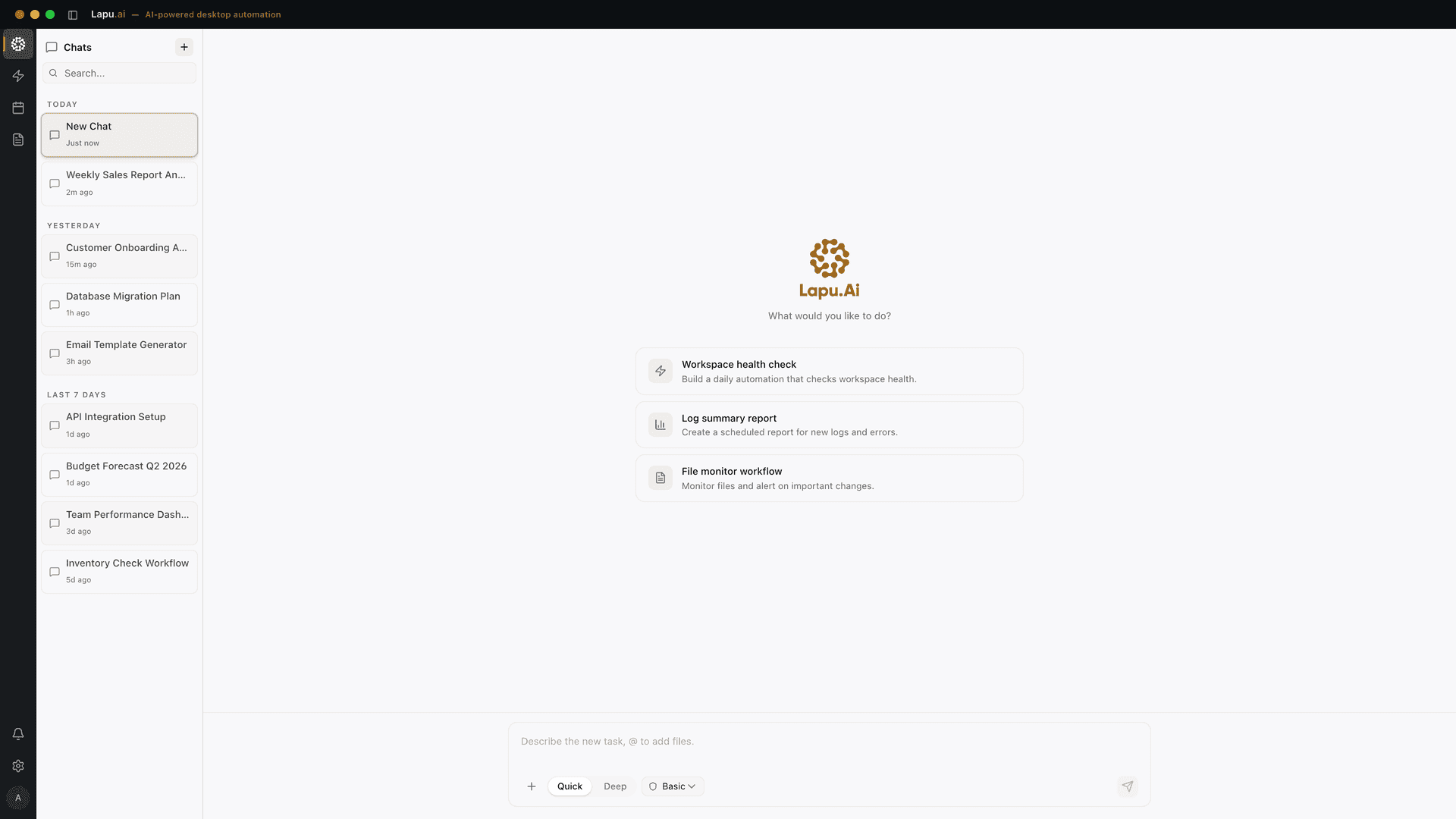
Download Lapu AI and see how it handles your desktop workflows, not just how it compares to Manus.
- 1-click uninstall
- Cancel anytime
- Files never leave your computer
Frequently asked questions
- Does Manus run on my computer or in the cloud?
- Both, but cloud-first. By default Manus allocates a fully isolated cloud virtual machine for each task (with its own networking, file system, browser, and software), and runs the work there. Manus also ships a desktop app called 'My Computer' that bridges to your machine: it executes command-line instructions in your local terminal to read, edit, and act on local files in folders you authorize. Lapu AI is the inverse: a desktop-native agent that runs on your real macOS or Windows machine and acts on local files and apps directly, with no cloud workspace storing them.
- Can Manus control my desktop applications the way Lapu AI does?
- Not in the same way, based on Manus's own documentation. Manus's local bridge is command-line based: it can read and edit files and launch CLI applications in your terminal, with each command requiring your approval. Lapu AI uses native accessibility APIs to operate graphical apps the way a person does. Clicking buttons, filling forms, and navigating menus across desktop applications. If your work lives in GUI apps rather than the terminal, that is the core difference; the tool landscape is compared on best AI agent for desktop automation.
- Which is more private, Lapu AI or Manus?
- They take different approaches. Lapu AI is local-first: your files stay on your machine and only context is sent to AI providers for reasoning. There is no Lapu AI cloud workspace storing your data. Manus's default sandbox stores uploaded attachments, generated artifacts, and task configuration (including API tokens) in its cloud VM for the life of the task. Manus's local bridge keeps file operations on your machine, but its primary model places task data in the cloud. If keeping files off any vendor workspace matters to you, Lapu AI's posture is more conservative, see local-first AI for the full architecture.
- How does Manus pricing compare to Lapu AI's?
- Manus is credit-based: each task consumes credits according to its complexity, there is a free tier with daily refreshing credits, and plan credits reset monthly without rolling over (purchased add-on credits persist). A single long autonomous task can consume a large share of a monthly credit allowance. Lapu AI uses flat pricing (Free, $20 Premium, $60 Pro, $100 Max, and Enterprise custom), with no per-task meter. Which is cheaper depends on how many long autonomous tasks you run, but flat pricing is more predictable for steady daily desktop work. Check Manus's site for current credit prices, as they can change.
- Can I use Lapu AI and Manus together?
- Yes. A reasonable split is to use Manus for long, autonomous cloud tasks that should run 24/7 and produce a self-contained artifact (a research report, a built website, generated slides), while your computer is off, and use Lapu AI for hands-on desktop work that touches your real files and graphical apps: cleaning spreadsheets, sorting folders, driving Notion or Mail, running local scripts with permission. They emphasize different runtimes: remote sandbox versus your real machine.
- Is it safer to run an AI in Manus's cloud sandbox than on my real desktop with Lapu AI?
- Each makes a different trade-off. Manus's cloud sandbox is isolated by design, so a bad action inside it cannot corrupt your machine, but it also means your task data sits in a cloud VM. Lapu AI runs on your real machine, which is more powerful for working with your actual files and apps, and manages risk with per-action approval prompts and a 90-day local audit trail. Manus's own 'My Computer' bridge, when it does touch your machine, similarly requires approval for each terminal command. Neither is universally safer; they balance capability against blast radius differently.
- Is Manus a desktop app like Lapu AI now that it has 'My Computer'?
- Manus does ship a desktop app, but it is best described as a local bridge rather than a desktop-native agent. The core Manus experience is the cloud sandbox; 'My Computer' extends that by running command-line instructions on your local machine for folders you authorize. Lapu AI is desktop-native from the ground up: signed installers for macOS 12+ on Apple Silicon and Windows 10+ on 64-bit hardware, built to act on local files and to drive graphical apps directly, with local-first data handling.
Related comparisons
Automate the work between you and outcomes
Lapu AI handles the repetitive work between you and outcomes. One desktop agent, zero tab-switching. Available now on macOS and Windows.
- 1-click uninstall
- Cancel anytime
- Files never leave your computer
Free to start. Cancel in 1 click. Files stay on your machine.