
Lapu AI vs goose (Block)
Last verified: 2026-05-31
- 1-click uninstall
- Cancel anytime
- Files never leave your computer
What is goose (Block)?
goose is an open-source AI agent from Block, now hosted by the Linux Foundation's Agentic AI Foundation. Released under the Apache-2.0 license, it ships as a native desktop app and a CLI for macOS, Linux, and Windows, and runs locally on your machine. goose is model-agnostic: it works with 15+ providers (Anthropic, OpenAI, Google, Ollama, and more) and connects to 70+ tools through the Model Context Protocol (MCP). Like Lapu AI, it can read and write files, run commands, and execute multi-step tasks on your computer — both belong to the same category of desktop agent.
Feature comparison
| Feature | Lapu AI | goose (Block) |
|---|---|---|
Runs locally on your machine Both are local desktop agents, not cloud services. goose runs on macOS, Linux, and Windows; Lapu AI on macOS and Windows. | ||
Native desktop GUI goose ships a desktop app and a CLI. Lapu AI is GUI-first; goose's roots and much of its documentation are CLI-oriented. | ||
Command-line interface goose offers a full CLI and API. Lapu AI is delivered as a desktop application only. | ||
Built-in AI models (no API key) Lapu AI includes built-in frontier models. goose requires you to configure a provider and supply an API key or connect a subscription on first run. | ||
Open source goose is Apache-2.0 licensed; you can inspect, fork, and self-host it. Lapu AI is a closed-source commercial product. | ||
Local file access and editing | ||
Shell / terminal command execution | ||
Desktop app automation (clicks, forms) Lapu AI drives desktop apps through native accessibility APIs out of the box. goose can reach external tools and computer-control through MCP extensions you add. | Via extensions | |
MCP extension ecosystem goose connects to 70+ MCP extensions and is designed around that open standard. Lapu AI focuses on built-in skills and direct app automation. | Limited | |
Bring your own model / provider goose supports 15+ providers including local models via Ollama. Lapu AI routes requests through its own built-in model infrastructure. | ||
Permission / approval model Both gate tool calls. goose offers Chat, Approve, SmartApprove, and Auto modes via config. Lapu AI has a GUI permission system with auto-approved low-risk actions and required confirmation for high-risk ones. | ||
Audit trail of agent actions Lapu AI logs every action (what, when, why) and retains it for up to 90 days. goose surfaces session history and logs but does not advertise a managed retention policy. | Partial | |
Reusable skills / scheduled workflows Lapu AI turns conversations into saveable, schedulable workflows. goose supports reusable 'recipes' for repeatable tasks. | Via recipes | |
No-setup install for non-developers Lapu AI installs and runs in under two minutes with no keys to manage. goose's fastest path still asks you to pick a provider and authenticate. | ||
Self-hostable | ||
Free to start goose is free and open source (you pay your chosen LLM provider). Lapu AI has a free tier; Premium is $20/month, Pro $60/month, Max $100/month. |
Where Lapu AI is stronger
- Built-in models, nothing to configure -- Lapu AI ships with frontier models included and routed through its own infrastructure. There are no API keys to obtain, no provider accounts to manage, and no credits to top up. goose requires you to choose an LLM provider and supply a key or subscription before the agent will run.
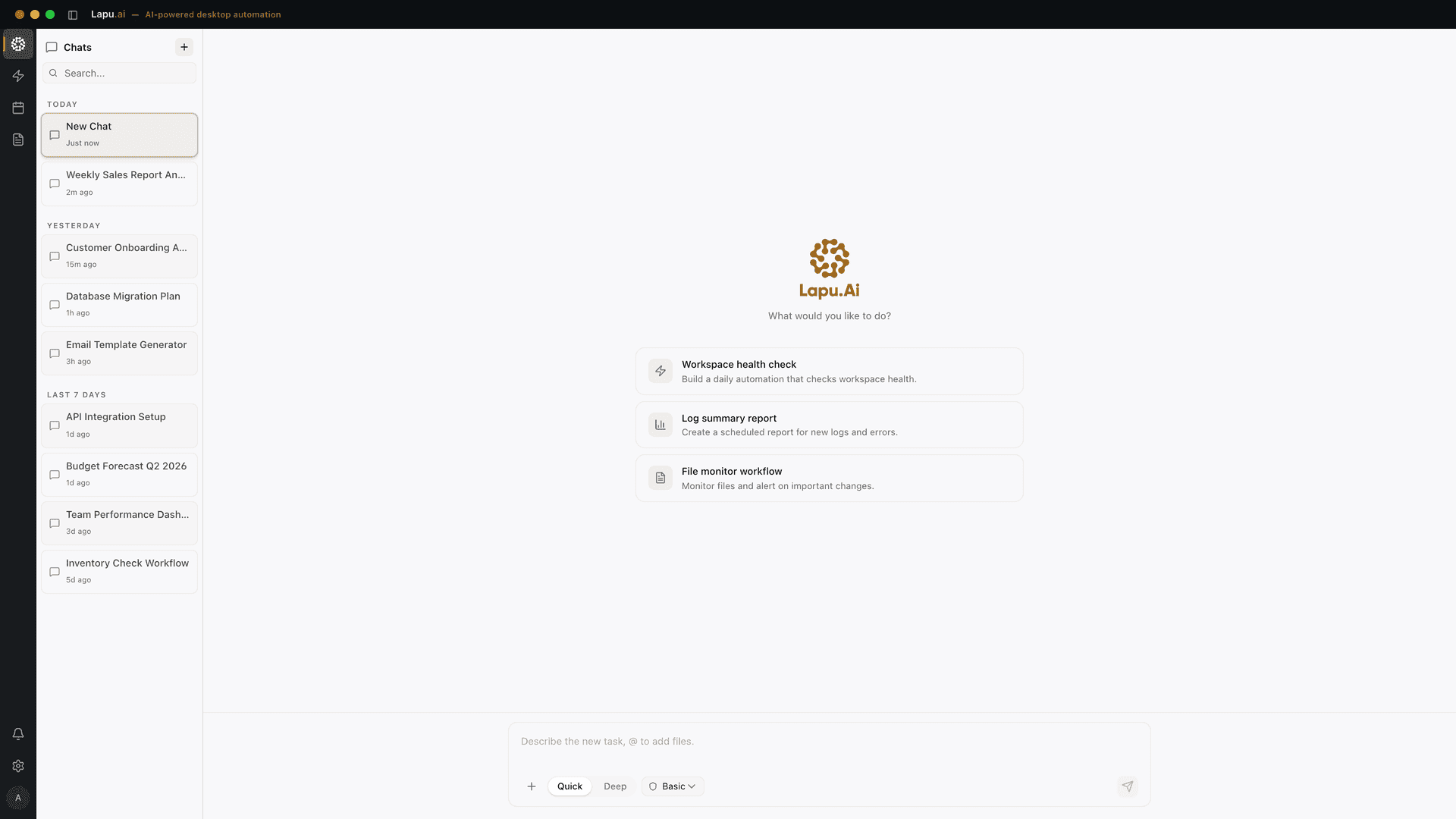
- GUI-first for non-technical users -- Lapu AI is a desktop application designed for people who do not live in a terminal. Install, sign in, and start working in under two minutes. goose ships a desktop app too, but much of its workflow, configuration, and extension setup is CLI- and config-file-oriented.
- Built-in audit trail with retention -- Every action Lapu AI takes is logged — what it did, when, and why — and retained for up to 90 days. That managed record matters for individuals and teams who need to review what an agent touched. goose exposes session history and logs but does not advertise a managed retention policy.
- Native app automation out of the box -- Lapu AI controls desktop applications through native accessibility APIs without extra setup — it can see the screen, click buttons, and fill forms across apps. With goose, reaching external apps and computer-control generally means adding the relevant MCP extensions yourself.
- Granular permissions surfaced in the interface -- Lapu AI's permission model is built into the GUI: low-risk actions like reading files can be auto-approved, while high-risk actions like deleting files always require explicit confirmation. goose has a capable permission system, but its modes (SmartApprove, Approve, Auto) are configured through settings and config files.
Where goose (Block) is stronger
- Open source under Apache-2.0 -- goose is fully open source under the permissive Apache-2.0 license and is now hosted by the Linux Foundation's Agentic AI Foundation. You can read the source, fork it, modify it, and use it commercially. Lapu AI is a closed-source product.
- Model-agnostic, including local LLMs -- goose works with 15+ providers — Anthropic, OpenAI, Google, Ollama, OpenRouter, Azure, Bedrock, and more — so you can pick your model, control your own spend, or run fully local inference via Ollama. Lapu AI routes requests through its own built-in models and does not currently let you swap in your own.
- Deep extensibility via MCP -- goose is built around the Model Context Protocol and connects to 70+ extensions, discovering new tools on the fly. Developers can wire goose into the exact systems they use. This open extension model is a core part of its design.
- Full CLI, API, and scriptability -- goose offers a CLI and an API alongside its desktop app, which makes it easy to embed in scripts, CI pipelines, and developer workflows. Lapu AI is delivered as a desktop application without a public CLI.
- Self-hostable and free -- Because goose is open source, you can self-host it and run it at no software cost — you only pay your chosen LLM provider (and some providers, like Google Gemini, offer a free tier). That appeals to developers and organizations that want full control over the stack.
Which should you choose?
Choose Lapu AI if you need...
- Non-developers who want a desktop AI agent that works without API keys or terminal setup
- Knowledge workers and operators who need cross-app automation out of the box
- Anyone who wants built-in frontier models with no provider accounts to manage
- Users and teams who need a managed audit trail of what the agent did
- People who prefer a polished GUI with visual approval prompts over config files
Choose goose (Block) if you need...
- Developers comfortable in the terminal who want a scriptable CLI and API
- Engineers who want to bring their own model or run local LLMs via Ollama
- Teams that need open-source transparency, the ability to fork, or self-hosting
- Power users who want to extend the agent through MCP and custom tooling
- Anyone who wants a free, Apache-2.0 agent and is willing to manage their own LLM provider
Try Lapu AI for free
Download Lapu AI and see how it handles your desktop workflows — not just how it compares to goose (Block).
- 1-click uninstall
- Cancel anytime
- Files never leave your computer
Frequently asked questions
- Is goose by Block free?
- Yes. goose is open source under the Apache-2.0 license, so the software itself is free, and it is now hosted by the Linux Foundation's Agentic AI Foundation. You still pay for whichever LLM provider you connect it to, though some providers (such as Google Gemini) offer a free tier to start. Lapu AI has a free plan and includes the models, so there is no separate provider bill; the tiers are listed on the pricing page.
- Is goose a cloud service or does it run locally?
- goose runs locally on your machine. It ships as a native desktop app and a CLI for macOS, Linux, and Windows, built in Rust. In that respect it is similar to Lapu AI — both are local desktop agents, not cloud workspaces. The differences are the audience, the setup experience, and the model and permission models, not local-versus-cloud.
- Do I need an API key to use goose?
- Yes. On first run, goose prompts you to configure an LLM provider and supply an API key or connect an existing subscription before you can use it. Lapu AI includes built-in models and routes requests through its own infrastructure, so there are no keys to manage.
- Can goose run local models, and can Lapu AI?
- goose is model-agnostic and can run fully local models through Ollama, plus 15+ hosted providers. Lapu AI uses built-in frontier models routed through its own infrastructure and does not currently let you swap in your own local model. If running a local LLM or bringing your own key is a hard requirement, goose is the better fit.
- Which is better for non-developers?
- Lapu AI is generally more approachable for non-developers: it installs as a standard desktop app, includes the models, and surfaces permissions and actions in a GUI. goose ships a desktop app too, but its configuration, extensions, and much of its documentation lean toward the CLI and config files, which suits developers. The non-technical audience Lapu is built for is described in desktop workflows by role.
- How do the permission models compare?
- Both gate what the agent can do. goose offers Chat, Approve, SmartApprove, and Auto modes, configured through its settings and config file. Lapu AI builds permissions into its interface: low-risk actions like reading files can be auto-approved, while high-risk actions like deleting files always require explicit confirmation, and every action is written to an audit trail retained for up to 90 days. The wider model is set out under AI agent security.
- Can both agents automate desktop apps?
- Yes, but differently. Lapu AI drives desktop applications through native accessibility APIs out of the box — clicking buttons, filling forms, and moving between apps. goose reaches external tools and computer-control through MCP extensions you add, which gives it broad reach for developers willing to wire up the right extensions.
Related comparisons
Automate the work between you and outcomes
Lapu AI handles the repetitive work between you and outcomes. One desktop agent, zero tab-switching. Available now on macOS and Windows.
- 1-click uninstall
- Cancel anytime
- Files never leave your computer
Free to start. Cancel in 1 click. Files stay on your machine.