
Lapu AI vs Bytebot
Last verified: 2026-05-31
- 1-click uninstall
- Cancel anytime
- Files never leave your computer
What is Bytebot?
Bytebot is an open-source, self-hosted AI desktop agent that runs inside a containerized Linux desktop you host. Each agent operates a full Ubuntu 22.04 XFCE environment (Firefox, VS Code, Thunderbird, a file system, and a terminal), inside its own Docker container, completely isolated from your host machine. You deploy it by cloning the GitHub repo, adding your own AI provider API key, and running docker-compose. It is free under the Apache 2.0 license; your only costs are model API fees and the infrastructure to run the containers.
Feature comparison
| Feature | Lapu AI | Bytebot |
|---|---|---|
Where the agent runs Lapu AI is a desktop-native app that drives your actual OS session. Bytebot runs the agent inside an isolated Docker container with its own Ubuntu 22.04 XFCE desktop: separate from your host machine. | Your real macOS / Windows host OS | A containerized Ubuntu Linux desktop you host |
Acts on your real local files Lapu AI reads and edits files where they live on your disk, with permission. Bytebot's agent works inside the container's own file system; files you want it to touch must be uploaded into that environment. | ||
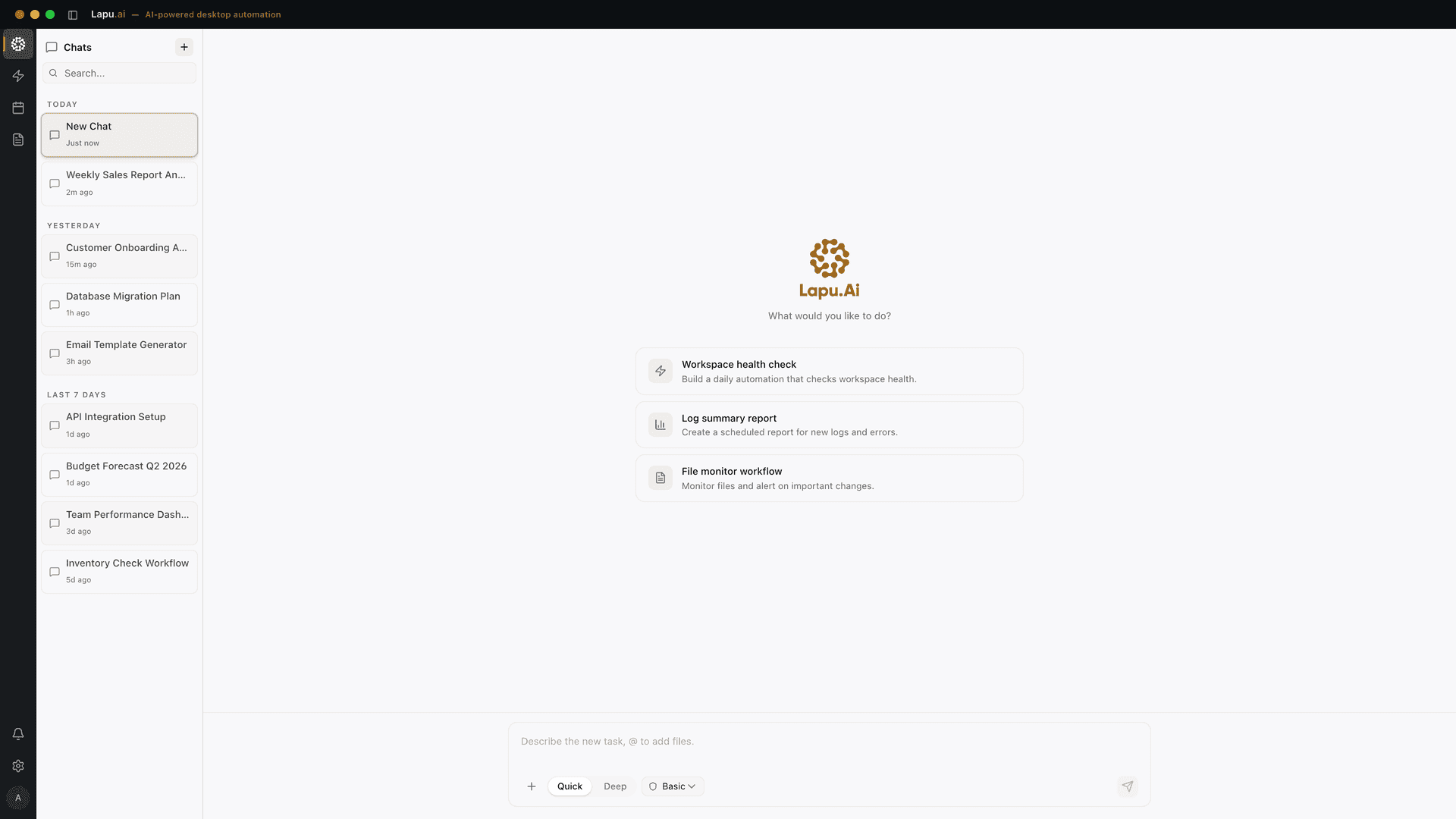
Drives the apps already installed on your machine Lapu AI automates the Excel, Notion, Slack, and Mail apps on your own macOS or Windows desktop via native accessibility APIs. Bytebot automates apps installed inside its Linux container (Firefox, VS Code, Thunderbird, and anything you add). | ||
Native desktop GUI installer Lapu AI ships signed installers for macOS and Windows. Bytebot is deployed via docker-compose, Railway, or a Kubernetes Helm chart, and accessed through a web UI at localhost:9992. | ||
Built-in AI (no API key to manage) Lapu AI bundles frontier model access into its subscription. Bytebot requires you to bring your own API key for Anthropic, OpenAI, Google Gemini, or 100+ providers via LiteLLM. | ||
Open source Bytebot is open source under the Apache 2.0 license: you can read, fork, and modify the codebase. Lapu AI is a closed-source commercial product. | ||
Self-hostable on your own infrastructure Bytebot runs entirely on servers you control, with no cloud component unless you add one. Lapu AI is a desktop app: your files stay on your machine, but model reasoning is routed through Lapu AI infrastructure. | ||
Container isolation from the host Bytebot's safety model is Docker isolation: a bad action only ever touches the container, not your host. Lapu AI runs on the host itself, so it uses per-action permission prompts instead of sandbox isolation. | Not applicable | |
Per-action permission prompts on the host Lapu AI asks for explicit approval before sensitive host actions like writing a file or running a command. Bytebot supports an autonomous mode and a user-takeover mode inside its container, but does not gate host actions because it never touches the host. | Not applicable | |
Built-in audit trail Lapu AI keeps a 90-day local log of every action. Bytebot's logging depends on how you configure and retain logs across your self-hosted containers and services. | 90-day local action log | Self-managed logs |
REST API for programmatic control Bytebot exposes REST endpoints so you can create and manage tasks programmatically. Lapu AI is operated from its desktop UI and does not expose a public task API. | ||
Runs many agents in parallel at scale Bytebot scales horizontally by running multiple desktop containers; its tagline is 'desktop agents that use computers like a human, at cloud scale.' Lapu AI runs one agent in your foreground desktop session. | ||
No infrastructure or DevOps required to start Lapu AI installs in under two minutes with no servers to run. Bytebot requires Docker and infrastructure to host the containers, plus an AI provider account. | ||
Pricing model Bytebot software is free under Apache 2.0; you pay only your chosen AI provider's API fees and the cost of running the Docker containers. Lapu AI is a flat subscription with model access bundled in. | Flat plan ($0 / $20 / $60 / $100 / Enterprise) | Free software + your own model + infra costs |
Where Lapu AI is stronger
- Acts on your real machine, not a separate Linux container -- Lapu AI runs natively on your macOS or Windows host and operates on the files, terminal, and apps you already use, with permission. Bytebot's agent lives inside an isolated Ubuntu container, to have it work on your data, you upload that data into the container; it does not see the rest of your real desktop.
- No infrastructure, Docker, or API keys to set up -- Lapu AI is a signed desktop installer with frontier model access bundled in, launch it and start working in under two minutes. Bytebot requires you to clone a repo, provision infrastructure, run docker-compose or a Kubernetes Helm chart, and supply your own Anthropic, OpenAI, or Gemini API key.
- Built for non-technical users on their own desktop -- Lapu AI ships a native GUI designed for people who do not run servers, organize a folder, clean a spreadsheet, draft email, all on the machine in front of them. Bytebot's deployment model (Docker, Railway, Kubernetes, a web UI on localhost:9992) assumes someone comfortable hosting and operating infrastructure.
- Per-action permission prompts with a 90-day local audit trail -- Because Lapu AI runs on the host, it gates every sensitive action behind an explicit approval prompt and records each step in a 90-day local log. This gives the user host-level control and a reviewable history without standing up logging infrastructure themselves.
- Predictable flat pricing instead of metered model + infra costs -- Lapu AI is a flat plan (Free, $20 Premium, $60 Pro, $100 Max), with model access included. Bytebot's software is free, but the real bill is your AI provider's per-task API fees plus the cost of the infrastructure that runs the containers, which is harder to predict for heavy or always-on use.
Where Bytebot is stronger
- Open source under Apache 2.0 -- Bytebot is fully open source under the permissive Apache 2.0 license. You can read every line, fork it, modify it, and run it without vendor lock-in. For teams that require source transparency or want to customize the agent's behavior, that is a decisive advantage Lapu AI's closed-source product does not offer.
- Container isolation keeps the agent off your real machine -- Bytebot runs each desktop in its own Docker container, completely separated from your host system. A mistaken or malicious action can only affect the container, not your laptop. For running untrusted automation or experimenting freely, that hard isolation boundary is a genuine safety benefit.
- Fully self-hosted: data never leaves your infrastructure -- Bytebot runs entirely on servers you control, with no cloud component unless you add one. Tasks and data never leave your infrastructure, which suits organizations with strict data-residency or air-gapped requirements that cannot route anything through a third party.
- Bring any model, including 100+ providers via LiteLLM -- Bytebot is model-agnostic. You point it at Anthropic Claude, OpenAI, Google Gemini, or 100+ other providers through LiteLLM, and swap models freely. Engineers who want to benchmark models or use a specific provider they already pay for get full control. Lapu AI routes between bundled models without exposing that choice.
- Horizontal scale and a REST API for automation pipelines -- Bytebot exposes REST endpoints and scales by running multiple desktop containers in parallel, so you can drive many agents programmatically; its stated goal is desktop automation 'at cloud scale.' For backend workloads or batch automation, that programmable, parallel model is something a single-session desktop app is not built to match.
Which should you choose?
Choose Lapu AI if you need...
- Individuals who want an AI agent acting on the real files and apps on their own macOS or Windows machine
- Non-technical users who do not want to run Docker, servers, or manage API keys
- People who want to start in two minutes with model access already bundled in
- Workflows that touch local spreadsheets, PDFs, email, and desktop apps already installed on the host
- Buyers who prefer a flat monthly plan over metered model plus infrastructure costs
Choose Bytebot if you need...
- Engineers comfortable running Docker, Railway, or Kubernetes to self-host an agent
- Teams that require open-source, Apache 2.0 code they can audit and modify
- Organizations with strict data-residency or air-gapped needs that must keep everything on their own infrastructure
- Users who want hard container isolation so the agent never touches their real machine
- Backend or batch automation that needs a REST API and many parallel agents at scale
Try Lapu AI for free
Download Lapu AI and see how it handles your desktop workflows, not just how it compares to Bytebot.
- 1-click uninstall
- Cancel anytime
- Files never leave your computer
Frequently asked questions
- What is the main difference between Lapu AI and Bytebot?
- Where the agent runs. Lapu AI is a native desktop app that operates on your real macOS or Windows machine: your actual files, terminal, and installed apps, with permission. Bytebot is a self-hosted, open-source agent that runs inside a containerized Ubuntu Linux desktop you host in Docker. Bytebot's agent works on the apps and files inside that container, isolated from your host; Lapu AI works on the machine in front of you. Other options in the same shape are ranked on Bytebot alternatives.
- Is Bytebot free?
- The Bytebot software is free and open source under the Apache 2.0 license. You can clone the GitHub repository and run it at no software cost. Your actual expenses are your chosen AI provider's API fees (Bytebot requires you to bring your own key for Anthropic, OpenAI, Gemini, or other providers), plus the infrastructure to run the Docker containers. Lapu AI is a flat subscription with frontier model access bundled in, so there is no separate API bill.
- Does Bytebot run on macOS or Windows like Lapu AI?
- Not as a native app. Bytebot's agent operates inside a containerized Ubuntu 22.04 Linux desktop running in Docker. You can host those containers on macOS, Windows, or Linux hardware, but you interact with Bytebot through a web UI (localhost:9992), and the agent automates apps inside its Linux environment, not your host's native apps. Lapu AI is a true desktop-native agent with signed installers for macOS 12+ on Apple Silicon and Windows 10+ on 64-bit hardware.
- Which is safer to run?
- They make different trade-offs. Bytebot relies on container isolation: the agent only ever touches its Docker container, so a bad action cannot reach your real machine. Lapu AI does run on your real machine, but every sensitive action is gated behind an explicit approval prompt and recorded in a 90-day local audit trail. Bytebot's isolation gives a hard blast-radius boundary; Lapu AI's permission model gives host-level control with a reviewable history. Neither is universally safer.
- Can Lapu AI work on files outside a container the way Bytebot can't?
- Yes. That is the core distinction. Lapu AI reads and edits files where they live on your disk (your Downloads folder, a project directory, a spreadsheet on your Desktop), with permission. Bytebot's agent works inside the container's own file system, so to have it process your data you upload that data into the container first. If your goal is to act directly on the real files already on your laptop, Lapu AI is built for that; if you want a clean, isolated environment, Bytebot's container model fits better.
- Do I need Docker or DevOps experience to use either one?
- For Bytebot, effectively yes. You deploy it with docker-compose, a Railway one-click template, or a Kubernetes Helm chart, and you supply your own AI provider API key, that assumes some comfort with infrastructure. Lapu AI is a standard desktop installer: download, install, sign in, and start working in under two minutes, with no servers, containers, or API keys to manage.
- Can Lapu AI and Bytebot be used together?
- They can complement each other. Use Bytebot when you want open-source, self-hosted automation running in isolated containers at scale, for example, batch tasks driven through its REST API on your own infrastructure. Use Lapu AI for everyday work on your actual desktop: cleaning local files, drafting email, updating documents, and driving the apps already installed on your macOS or Windows machine. They target different parts of the workflow: cloud-scale container automation versus native, permissioned work on the host.
Related comparisons
Automate the work between you and outcomes
Lapu AI handles the repetitive work between you and outcomes. One desktop agent, zero tab-switching. Available now on macOS and Windows.
- 1-click uninstall
- Cancel anytime
- Files never leave your computer
Free to start. Cancel in 1 click. Files stay on your machine.