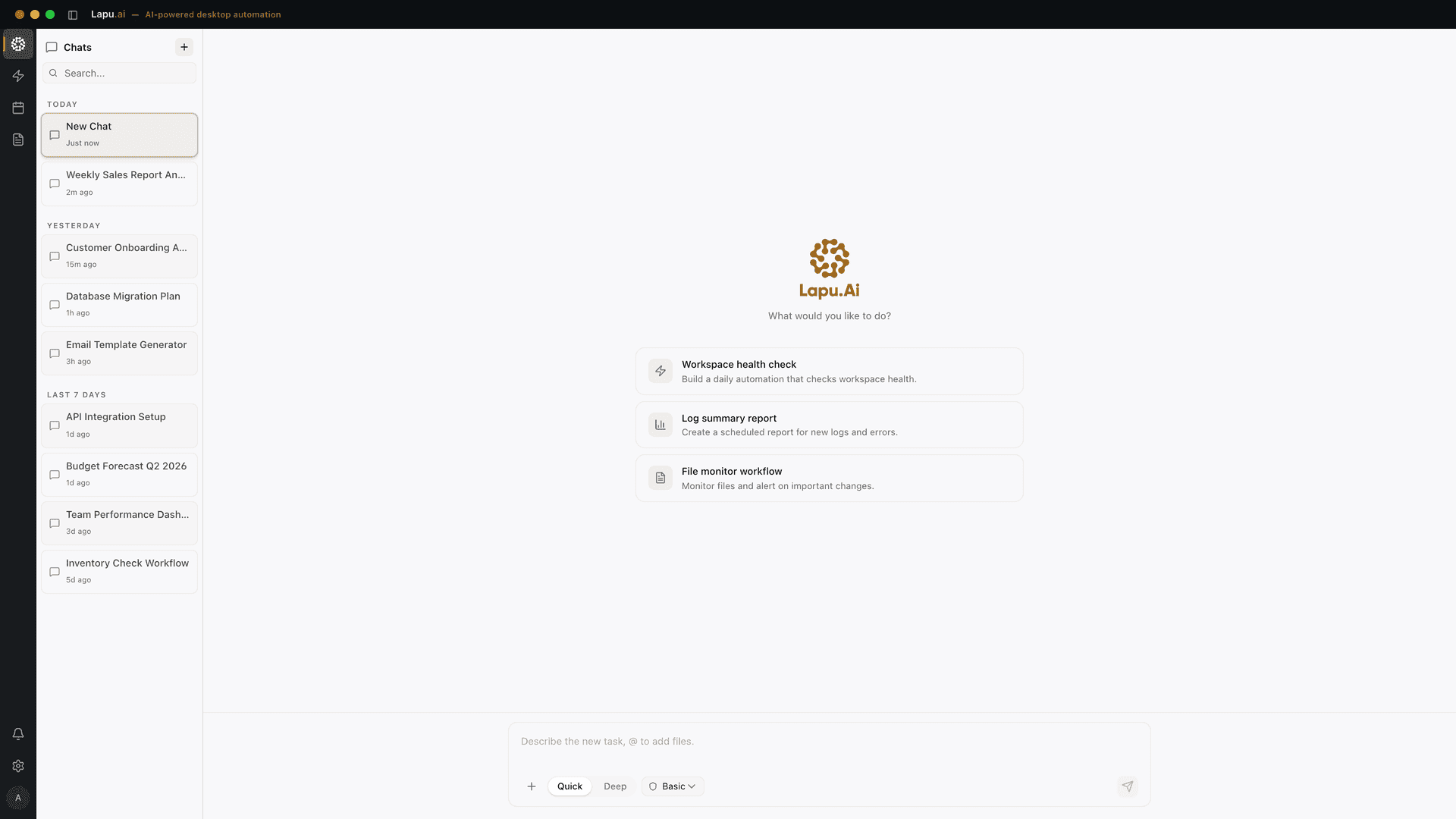
Lapu AI vs Devin
Last verified: 2026-05-26
What is Devin?
Devin is an autonomous AI software engineer built by Cognition Labs. It runs in an ephemeral cloud VM with its own browser, code editor, terminal, and planner — you delegate a task through Slack, Linear, or the Devin web app, and it opens a pull request when it's done. A separate Devin for Terminal CLI runs locally and can hand sessions off to the cloud. Devin is built for software engineering work; it operates on Git repositories rather than on the user's full desktop.
Feature comparison
| Feature | Lapu AI | Devin |
|---|---|---|
Runtime location Lapu AI is a desktop-native app that drives the user's real OS session. Devin runs autonomously in cloud VMs that are torn down after each session; code is fetched from your Git provider for the session and changes are pushed back. | User's macOS / Windows desktop | Ephemeral cloud VM |
Reads files on your actual machine Devin pulls code from a GitHub or GitLab repo into its cloud VM — it does not see arbitrary files on your laptop. Lapu AI reads files where they live on disk, with permission. | ||
Works without a Git repository Devin's cloud workflow expects a Git provider as input and a pull request as output. Lapu AI handles general desktop tasks — spreadsheets, PDFs, email, shell — none of which require a repo. | ||
Drives non-developer desktop apps Lapu AI automates Excel, Notion, Slack, Mail, and any accessibility-API exposed app on macOS or Windows. Devin's environment is a development sandbox (browser, IDE, terminal); it is not built to drive arbitrary desktop applications on your machine. | ||
Permission-gated execution on host Lapu AI prompts for explicit approval before sensitive host actions. Devin runs inside its isolated cloud VM, so the permission model is sandbox isolation rather than per-action host approval. | Not applicable | |
Built-in audit trail Lapu AI keeps a 90-day local action log. Devin records each cloud session so you can scrub through what it did; that record lives in Devin's web app, not on your machine. | 90-day local audit log | Session replay |
Pricing model Devin's published plans range from Free through Pro $20/mo and Max $200/mo for individuals, Teams from $80/mo, and Enterprise custom. Self-serve overages are billed per Agent Compute Unit (ACU), with 1 ACU ≈ 15 minutes of active Devin work. | Flat plan ($0 / $29 / $199 / Enterprise) | Subscription + Agent Compute Units |
Choice of frontier model Devin for Terminal lets the user pick from frontier models including Opus 4.7, GPT-5.5, and Cognition's in-house SWE-1.6. Lapu AI routes between bundled frontier models on the user's behalf. | Routed automatically | Frontier models including Opus 4.7, GPT-5.5, SWE-1.6 |
Asynchronous, fire-and-forget tasks Devin's defining workflow is delegating a long task to its cloud VM, closing your laptop, and coming back to a finished pull request. Lapu AI executes interactively on the user's machine — closing the laptop pauses the agent. | Foreground sessions | |
Native Slack / Linear / Jira intake Devin accepts tickets directly from Slack, Linear, and Jira and returns a PR. Lapu AI is operated from its own desktop UI; it can act on Slack and Linear as apps but does not have first-party ticket-to-PR plumbing. | ||
Pull request output Devin's primary deliverable is a pull request on GitHub or GitLab. Lapu AI can open a PR if you ask, but its default output is action on your machine — edited files, sent emails, updated spreadsheets. | Optional | |
Local terminal CLI option Cognition ships Devin for Terminal, a local CLI installed via curl that can hand sessions off to cloud Devin. Lapu AI is a GUI desktop app rather than a terminal command. | GUI-first | Devin for Terminal |
VPC deployment Enterprise Devin deployments run inside the customer's VPC across major clouds, so code stays in the customer's tenant. Lapu AI's data sovereignty story is different: user files stay on the user's machine and no Lapu cloud workspace stores them. | Not applicable | |
SOC 2 certification Cognition publicly reports SOC 2 Type II certification (obtained September 2024). Lapu AI's enterprise compliance program is in progress; contact sales for current status. | In progress | SOC 2 Type II |
API key required Neither product asks the end user to bring a model API key. Devin bundles model access into its plans; Lapu AI bundles frontier model access into its subscription. |
Where Lapu AI is stronger
- Runs on the user's real desktop, not in a cloud sandbox -- Lapu AI executes on the user's actual macOS or Windows machine, reading and writing local files with permission. Devin's cloud agent works inside an ephemeral VM that fetches a Git repo for the session — it cannot touch the rest of the user's desktop or files outside the repo.
- Built for general work, not only software engineering -- Lapu AI automates Excel cleanups, PDF triage, inbox sorting, Notion updates, and shell tasks alongside code work. Devin's environment, prompts, and billing are designed for engineering — assigning Devin a 'rename 200 files in my Downloads folder' task is the wrong tool.
- Predictable flat pricing instead of per-task compute units -- Lapu AI's plans are flat: $0 free, $29 Pro, $199 Max. Devin's published Pro plan is $20/month with a usage quota, and overages bill per Agent Compute Unit at roughly 15 minutes of active work per ACU — a single long autonomous task can burn through several ACUs.
- Permission-gated host actions with a local audit trail -- Lapu AI asks for explicit approval before sensitive desktop actions and keeps a 90-day local action log. Devin manages risk via VM isolation, which is appropriate inside its sandbox but does not give the user host-level approval prompts when an agent edits their machine.
- Two-minute install, no Git or repo required -- Lapu AI is a signed desktop installer; you launch it and start chatting. Devin's full power assumes a GitHub or GitLab repo to point it at — useful for engineering teams, overkill for an individual operator who wants help with their files and apps.
Where Devin is stronger
- Truly asynchronous, long-running cloud sessions -- Devin's defining strength is fire-and-forget delegation: assign a multi-hour task, close your laptop, and come back to a finished pull request. Because the work happens in a cloud VM with its own browser, terminal, and IDE, the agent keeps running even when you don't. Lapu AI runs in the user's foreground session, so closing the laptop pauses the work.
- Native ticket-to-PR workflow for engineering teams -- Devin reads tasks straight from Slack, Linear, Jira, and Sentry, and returns a pull request on GitHub or GitLab. For teams that already live in those tools, that loop is hard to beat — the AI engineer is just another teammate getting tickets and shipping branches.
- SOC 2 Type II and VPC deployment for enterprises -- Cognition publicly reports SOC 2 Type II certification (obtained September 2024) and offers Enterprise deployments that run inside the customer's VPC across major clouds, with SAML/OIDC SSO and per-repository scoping. Organizations with strict procurement requirements have a defined enterprise path.
- Direct choice of frontier model -- Devin for Terminal lets the user pick the model behind each session — Opus 4.7, GPT-5.5, or Cognition's in-house SWE-1.6 — which engineers tend to value when benchmarking models against their codebase. Lapu AI routes between bundled models on the user's behalf without exposing that choice.
- Windsurf IDE bundle -- Pro and Max plans include a Windsurf IDE usage quota alongside the Devin allotment, so a single subscription covers both an AI engineer and an AI-first editor. Lapu AI is a single product without a bundled IDE.
Which should you choose?
Choose Lapu AI if you need...
- Founders and operators who want a desktop AI agent for files, spreadsheets, email, and shell
- Analysts cleaning up PDFs, Excel sheets, and exports on their own laptop
- Buyers who prefer a flat monthly plan over per-task compute-unit billing
- Workflows that touch real files, real apps, and real terminals on macOS or Windows
- Anyone who wants permission-gated execution and a 90-day local audit trail
Choose Devin if you need...
- Engineering teams that want to delegate multi-hour coding tasks to a cloud agent
- Organizations that route work through Slack, Linear, Jira, and GitHub or GitLab
- Enterprises that need SOC 2 Type II certification and VPC deployment for AI agents
- Developers who want to pick a specific frontier model per task — Opus 4.7, GPT-5.5, SWE-1.6
- Teams that already use Windsurf and want a paired autonomous engineer
Try Lapu AI for free
Download Lapu AI and see how it handles your desktop workflows.
Download for freeFrequently asked questions
- Is Devin a desktop app like Lapu AI?
- Not in the same sense. Devin's primary product is a cloud agent — you delegate a task through the web app or Slack, and Devin spins up an ephemeral VM with its own browser, IDE, and terminal to do the work. Cognition does offer Devin for Terminal, a local CLI installed with a curl command that can hand sessions off to the cloud, but the core Devin experience is cloud-first. Lapu AI is the opposite: a desktop-native app that runs on the user's macOS or Windows machine and acts on local files and apps.
- Does Devin need a GitHub repository?
- For its main workflow, yes. Devin's cloud agent fetches code from a Git provider (GitHub or GitLab) at the start of a session and pushes changes back at the end as a pull request. Tasks that have no associated repo — organizing a Downloads folder, batch-renaming PDFs, cleaning an Excel sheet — are not what Devin is designed for. Lapu AI handles those general desktop tasks because it operates on the user's actual file system.
- How does Devin's pricing compare to Lapu AI's?
- Devin publishes Pro at $20/month and Max at $200/month for individuals, Teams at $80/month, plus Enterprise custom pricing. Plans include a usage quota; overages on self-serve plans are billed per Agent Compute Unit, where one ACU is roughly 15 minutes of active Devin work. Lapu AI is flat: Free, $29 Pro, $199 Max, Enterprise custom — no per-task compute meter. Which is cheaper depends on how many long autonomous tasks you delegate; flat pricing is more predictable for daily desktop use.
- Can Lapu AI and Devin be used together?
- Yes, and for many engineering teams that's the right answer. Use Devin to delegate long, async coding tasks that should end in a pull request — Devin will work in its cloud VM while you're away. Use Lapu AI for the desktop work that surrounds engineering: cleaning data files, drafting emails, updating Notion docs, running local scripts, automating spreadsheet tasks. They target different parts of the workflow.
- Is Devin safer than running an AI on your real desktop?
- Devin's cloud model is safe by virtue of isolation — the agent only ever touches its ephemeral VM, so a bad action cannot corrupt your machine. Lapu AI takes a different approach: it does run on your real machine, but every sensitive action is gated by an explicit approval prompt and every step is recorded in a 90-day local audit trail. Neither is universally safer — they make different trade-offs between capability and blast radius.
- Does Devin work on Windows or macOS specifically?
- Cognition has begun rolling out Devin for Windows, and Devin for Terminal is a local CLI installed via curl that runs on developer workstations. But the cloud agent itself is OS-agnostic from the user's perspective — you interact with it through a browser, Slack, or the CLI. Lapu AI is a true desktop-native application, with signed installers for macOS 12+ on Apple Silicon and Windows 10+ on 64-bit hardware.
- Does Devin have SOC 2 like enterprise buyers expect?
- Yes. Cognition reports SOC 2 Type II certification (obtained September 2024) and offers enterprise deployments that run inside the customer's VPC, with SAML and OIDC SSO, per-repository scoping, and customer-controlled data residency. Lapu AI's enterprise compliance program is in progress — buyers with strict procurement requirements should contact sales for the current state of certifications and deployment options.
- Is Devin a good fit for non-developers?
- Probably not as your daily driver. Devin's environment, integrations (GitHub, GitLab, Linear, Jira, Sentry), and output (pull requests) are aimed at software engineering teams. A solo consultant or operator who needs help organizing files, sending email, drafting documents, and running shell commands will get more out of a general-purpose desktop agent like Lapu AI — and pay less because there are no per-task compute charges.
Automate the work between you and outcomes
Lapu AI handles the repetitive work between you and outcomes. One desktop agent, zero tab-switching. Available now on macOS and Windows.
- 1-click uninstall
- Cancel anytime
- Files never leave your computer
Free to start. Cancel in 1 click. Files stay on your machine.